[NCHC Exploration] #1 Account Creation

The cover image is a vision graphic from the National Center for High-performance Computing (NCHC), illustrating the evolution from high-performance computing (HPC) to artificial intelligence (AI). Captured on April 10, 2025, from the NCHC website.
Introduction
The National Center for High-performance Computing (NCHC), part of the National Applied Research Laboratories (NARLabs), is a research institution dedicated to technologies such as high-performance computing, storage, networking, and platform integration.
As big data and AI become increasingly prevalent, having a solid environment for model training has become crucial. As Taiwan’s leading national lab in large-scale computing platforms and academic research network infrastructure, NCHC not only excels in cybersecurity and data encryption but is also actively developing advanced HPC techniques, quantum computing, and big data analytics. Training and deploying models on NCHC’s systems ensures not only fast computation but also stability and security, making it a top choice for researchers.
The following is a guide for applying for an NCHC account, intended for those interested in using high-performance computing resources.
Account Registration
NCHC
Step 1: Go to the NCHC official website (https://www.nchc.org.tw/?langid=2), find Computing and AI services, and click on TWCC Taiwan Computing Cloud.
You will be using the TWCC services, so this section explains how to access TWCC.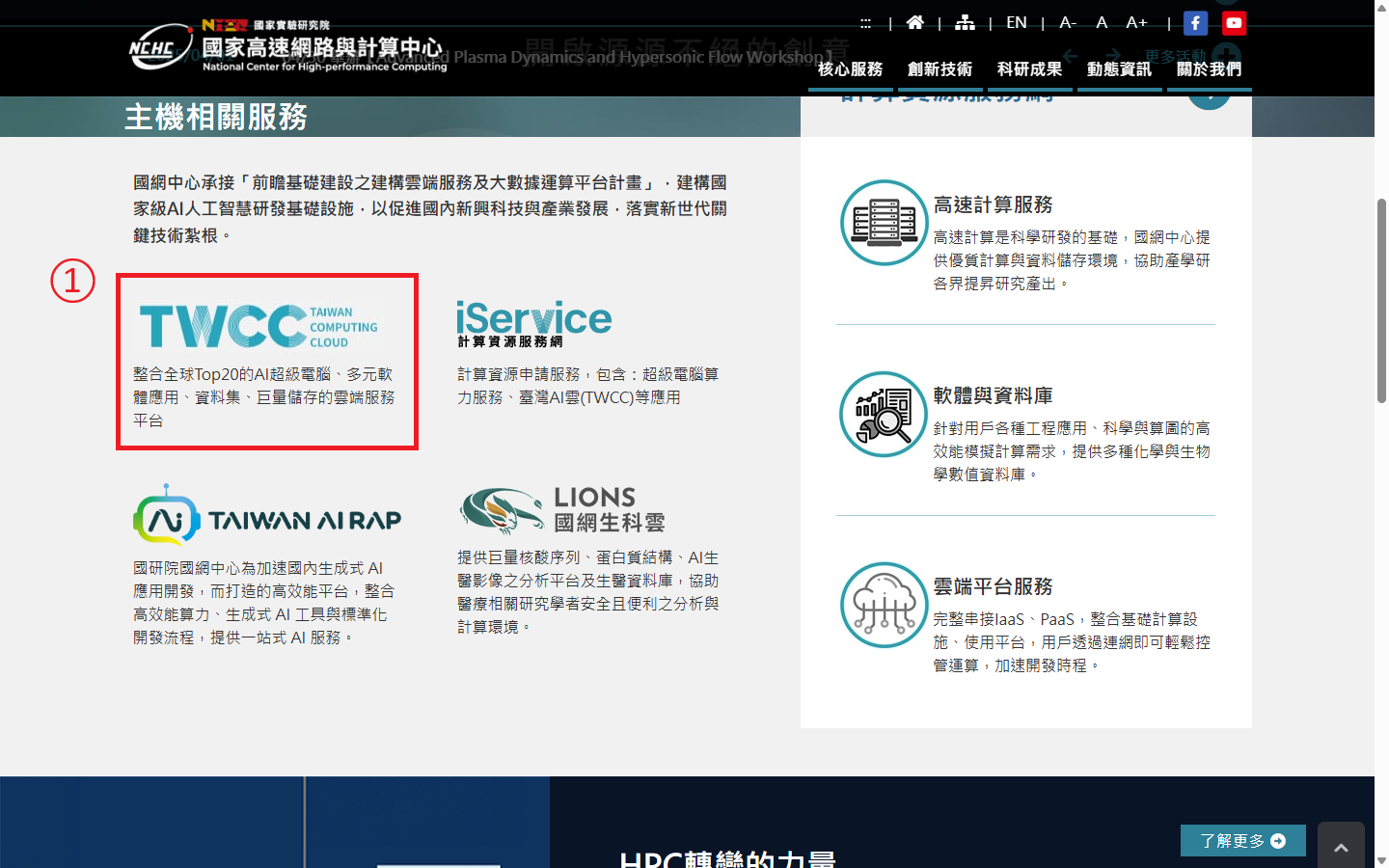
Here is NCHC’s introduction to TWCC:
Membership Terms
Step 2: On the TWCC website, click 註冊 (register) at the top right.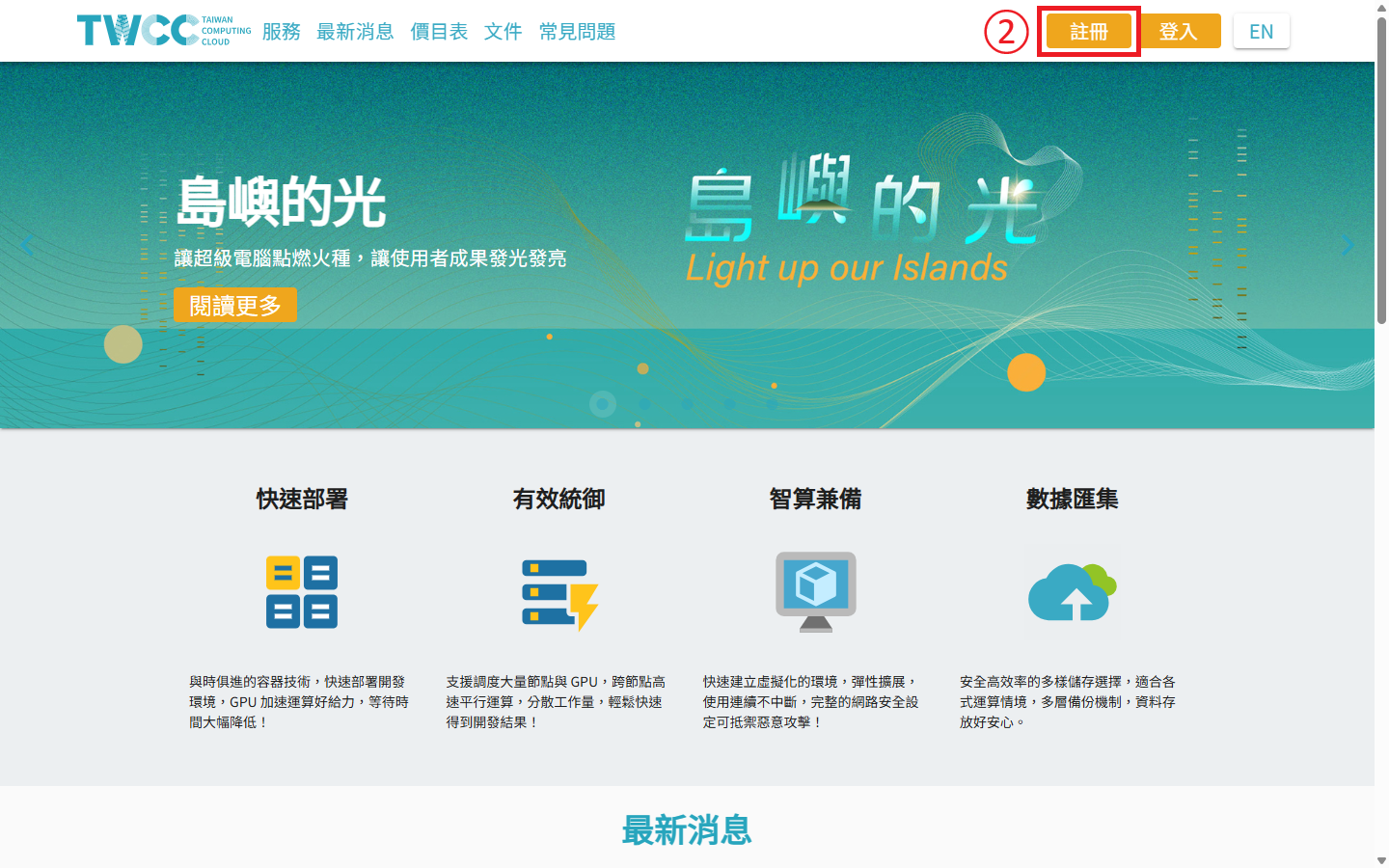
All services under NCHC—including TWCC, iService Computing Resources Portal, Taiwan AI Rap for generative AI applications, and Lions Bioinformatics Cloud—can be accessed using the same account. Please carefully read the membership terms before joining.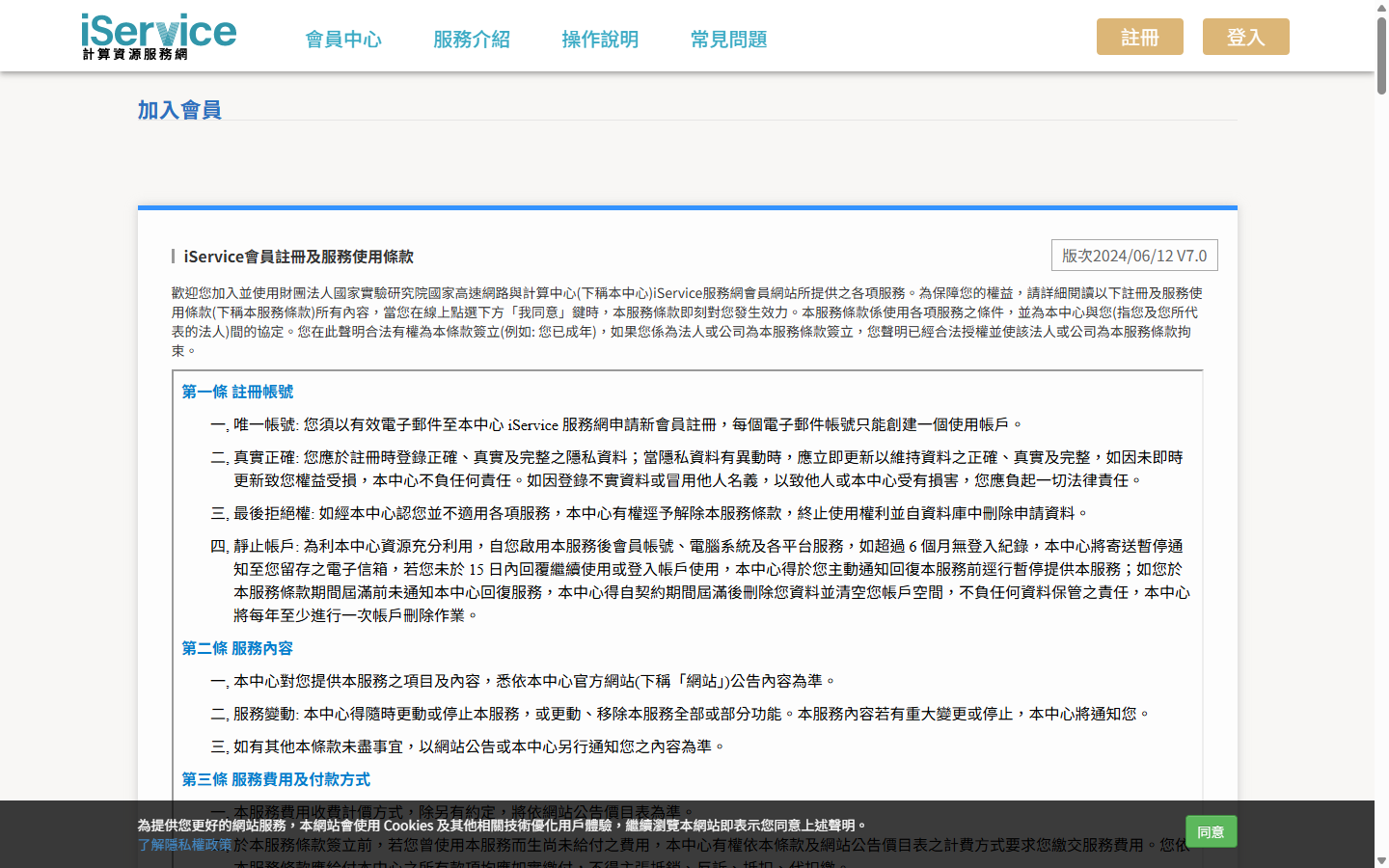
Step 3: After reading, click 我同意 (I agree).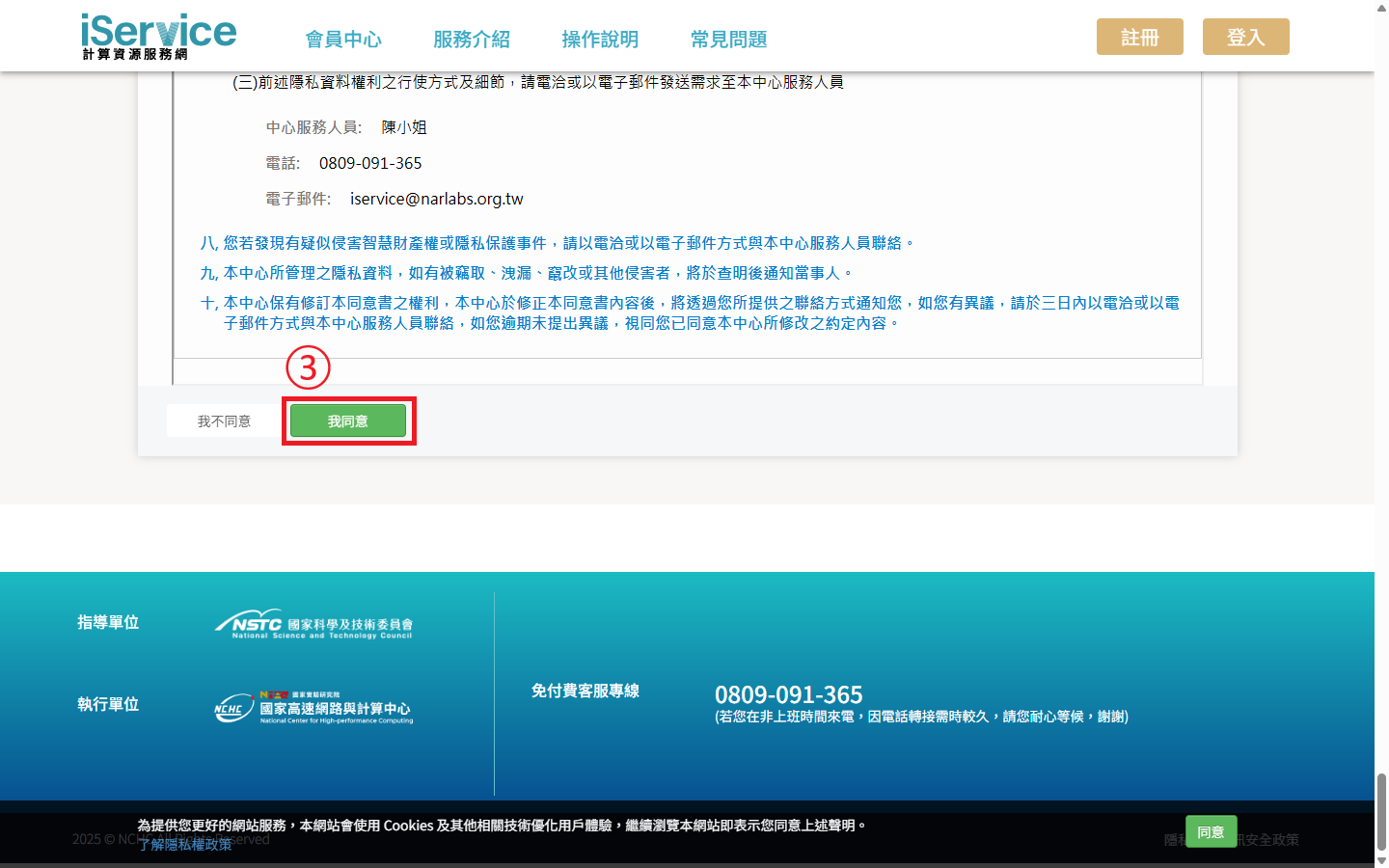
Account Registration
Step 4: Enter your email address that will be used for login and notifications. You’ll receive a verification email.
Step 5: Click 確定 (confirm).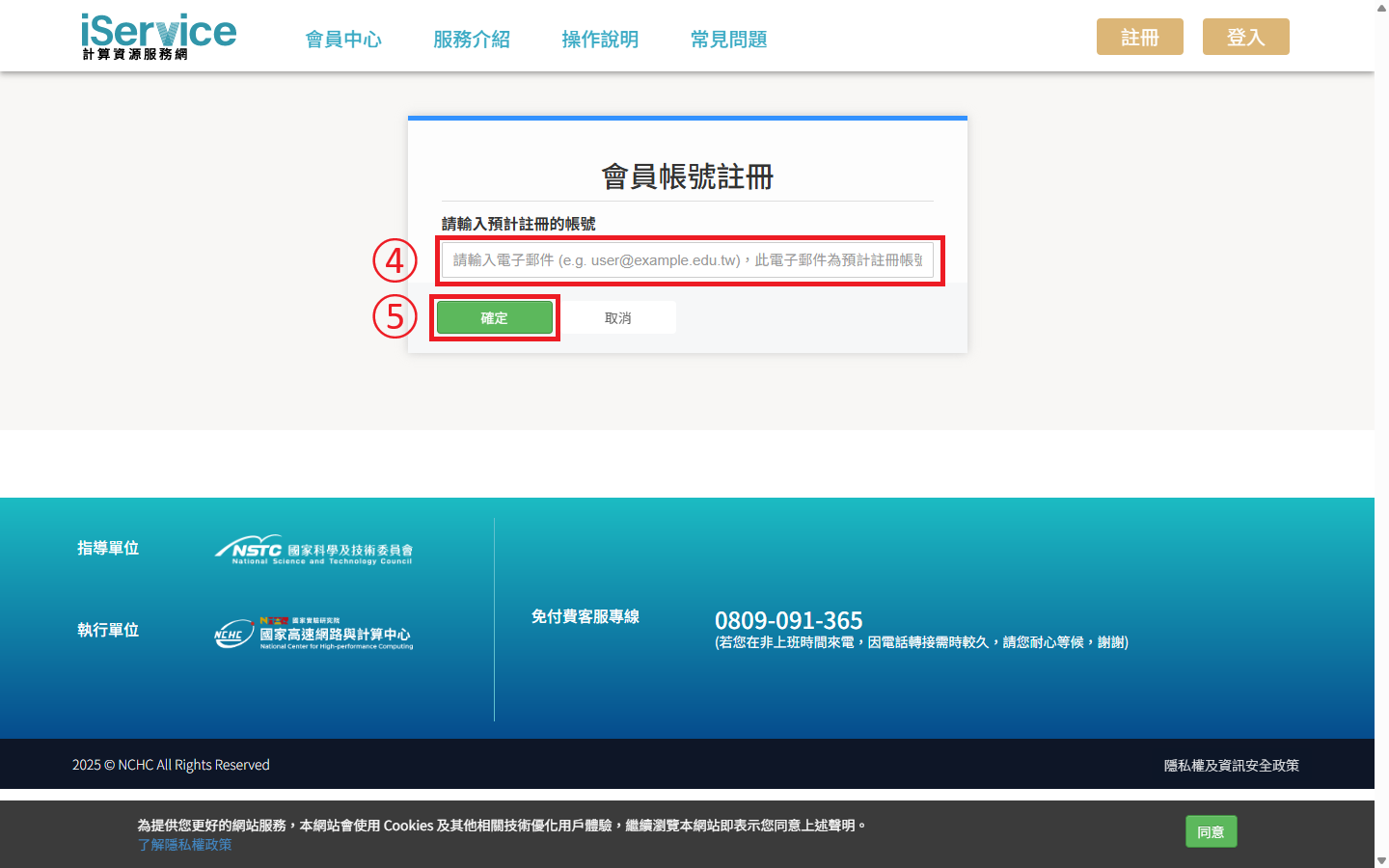
Fill in Member Info
Next, fill in your personal and system account information.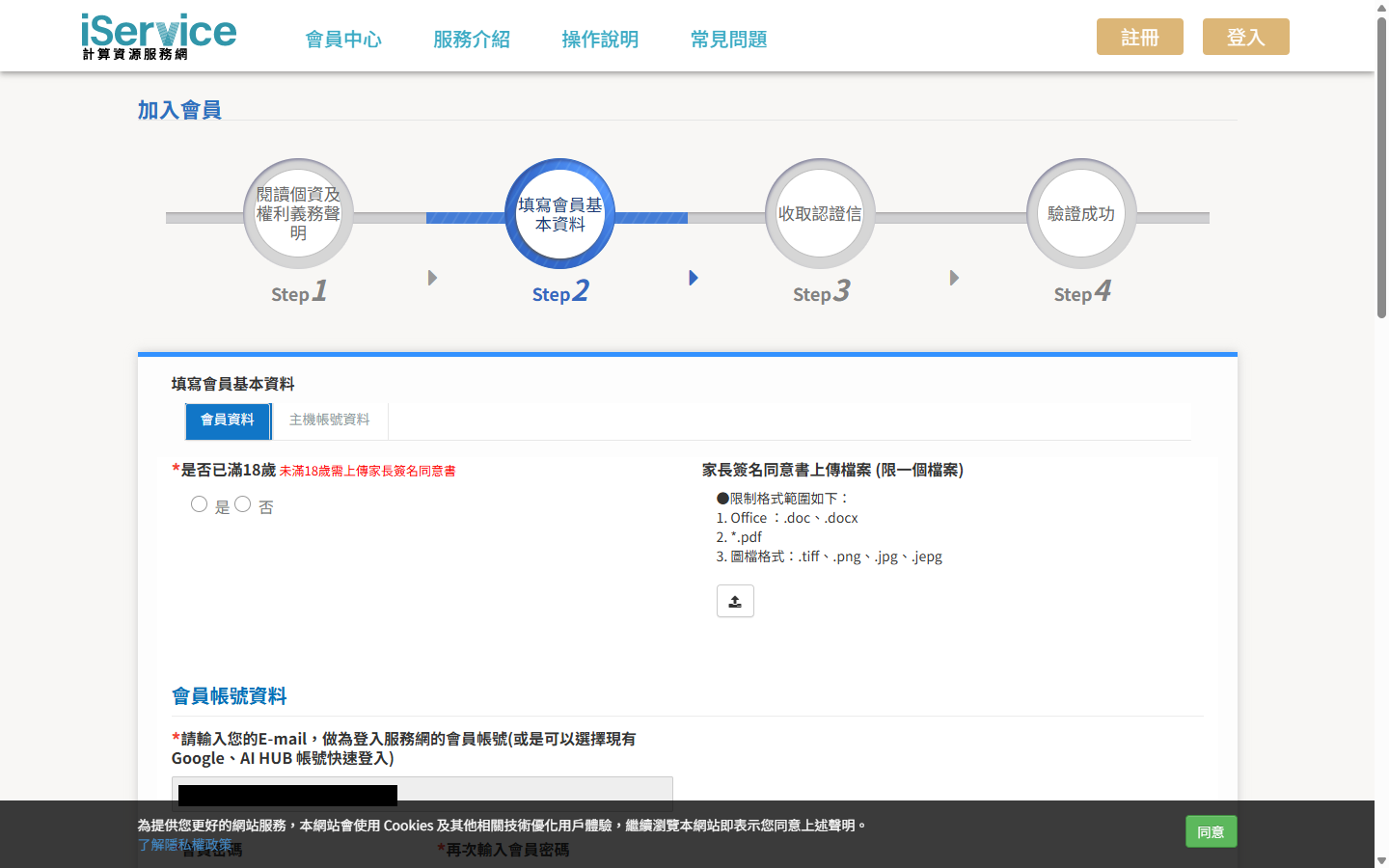
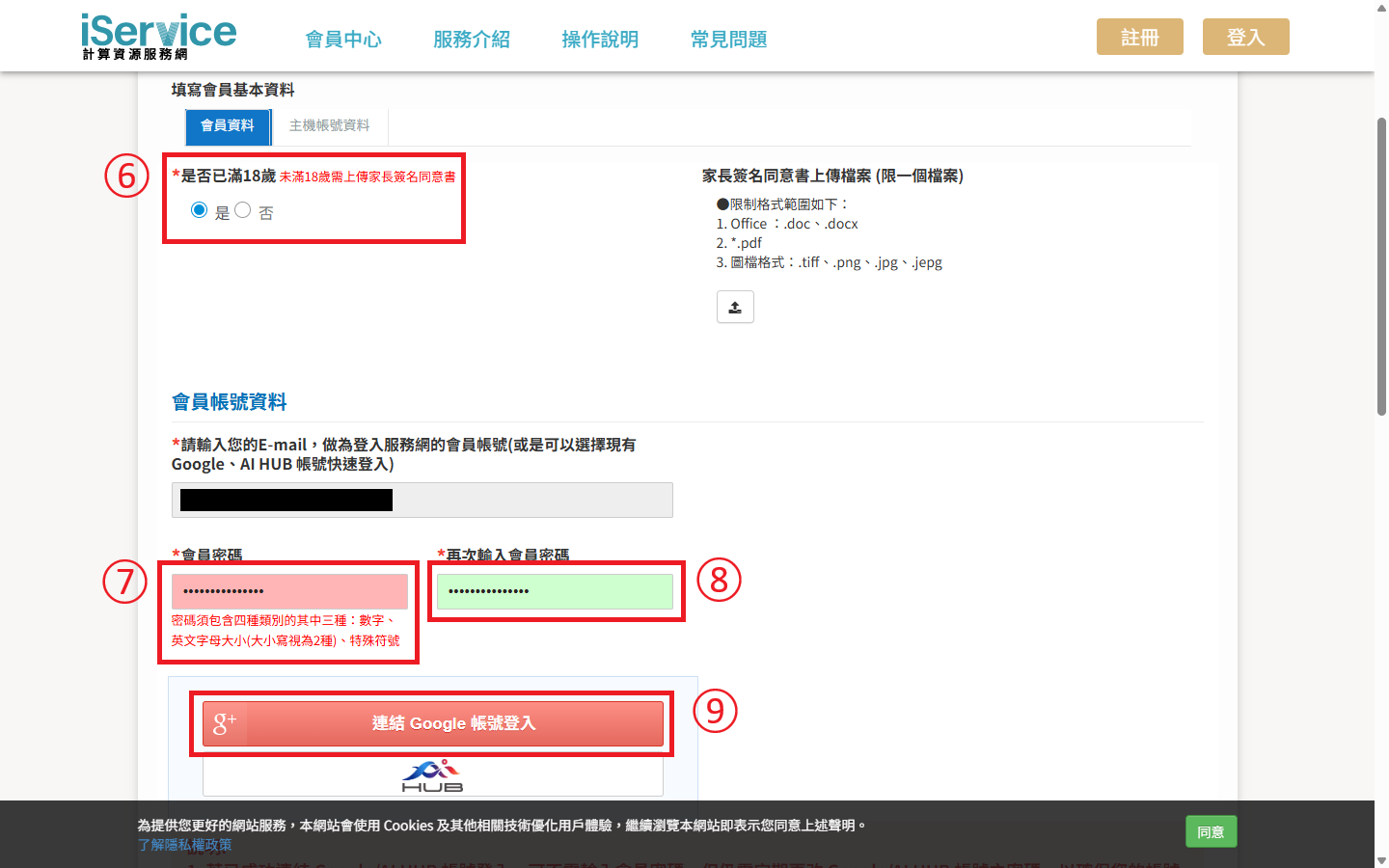
Step 6: Check whether you are over 18. If under 18, a signed parental consent form is required.
Step 7: Set your password, which must include numbers, uppercase and lowercase letters, and special characters.
Step 8: Re-enter your password.
Step 9 (optional): Link your Google account to skip entering a password during login.
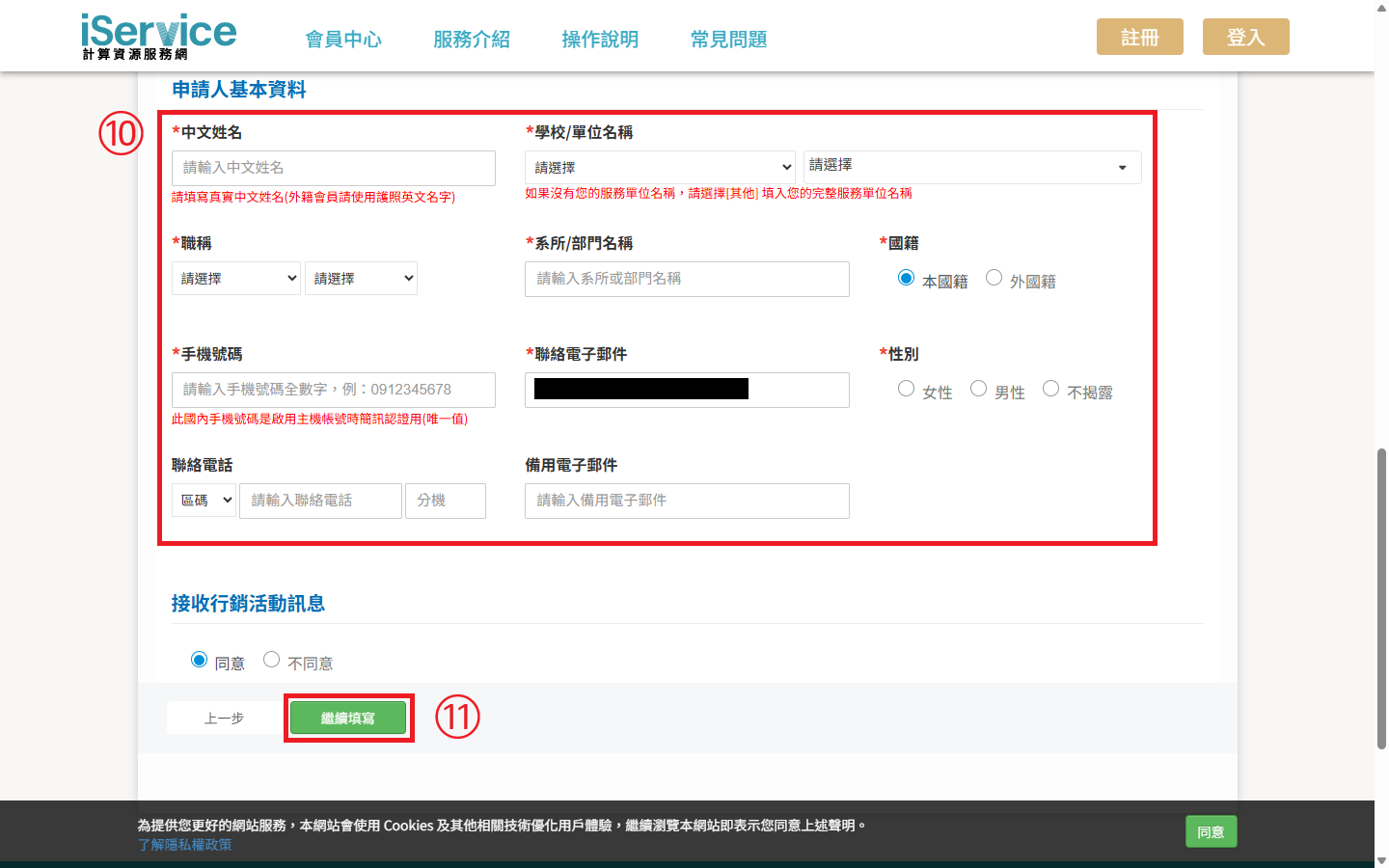
Step 10: Fill in the applicant’s personal information. Fields marked with * are required.
Step 11: After reviewing all details, click 繼續填寫 (continue).
Fill in Host Account Info
Now proceed to fill in your host account details.
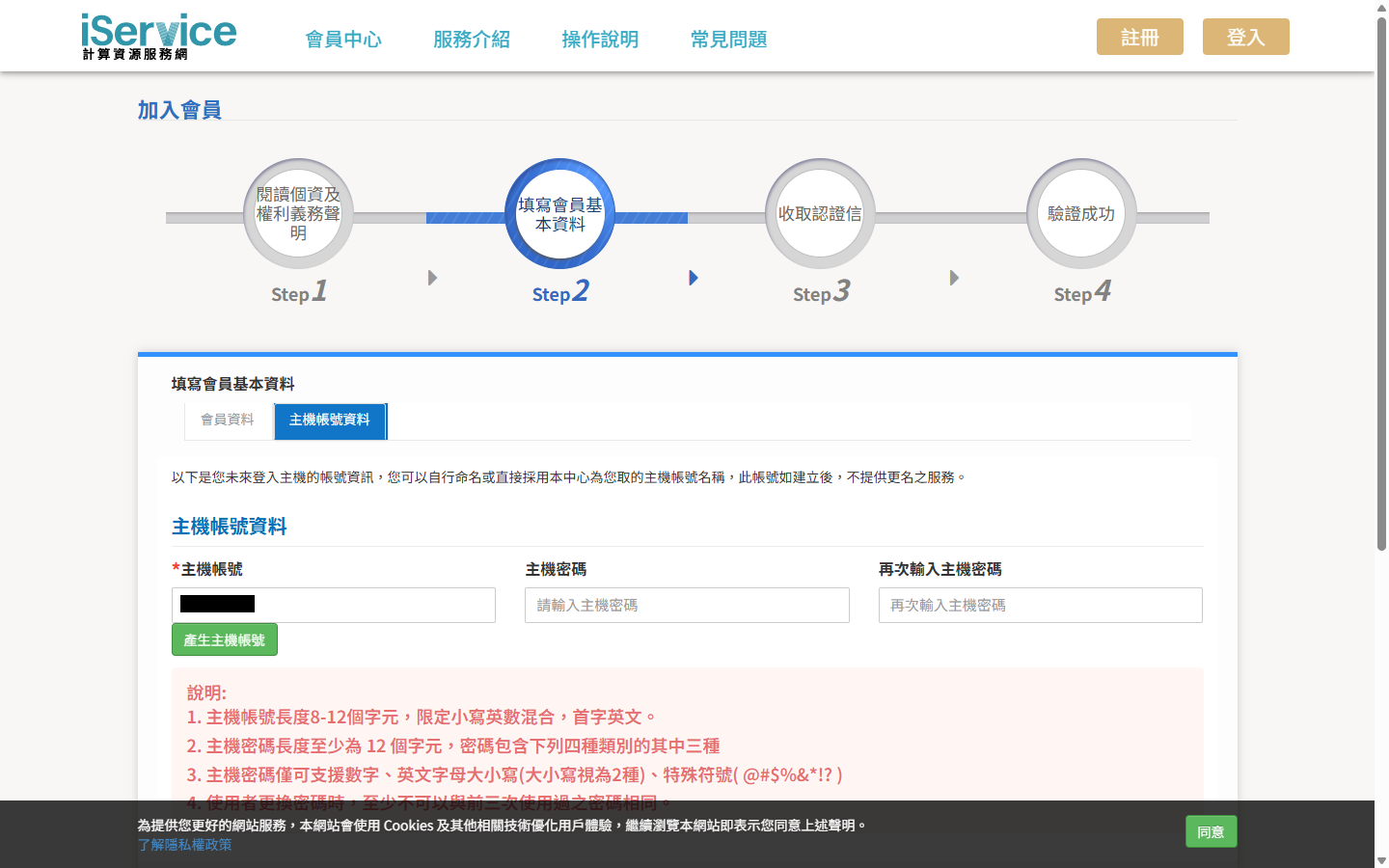
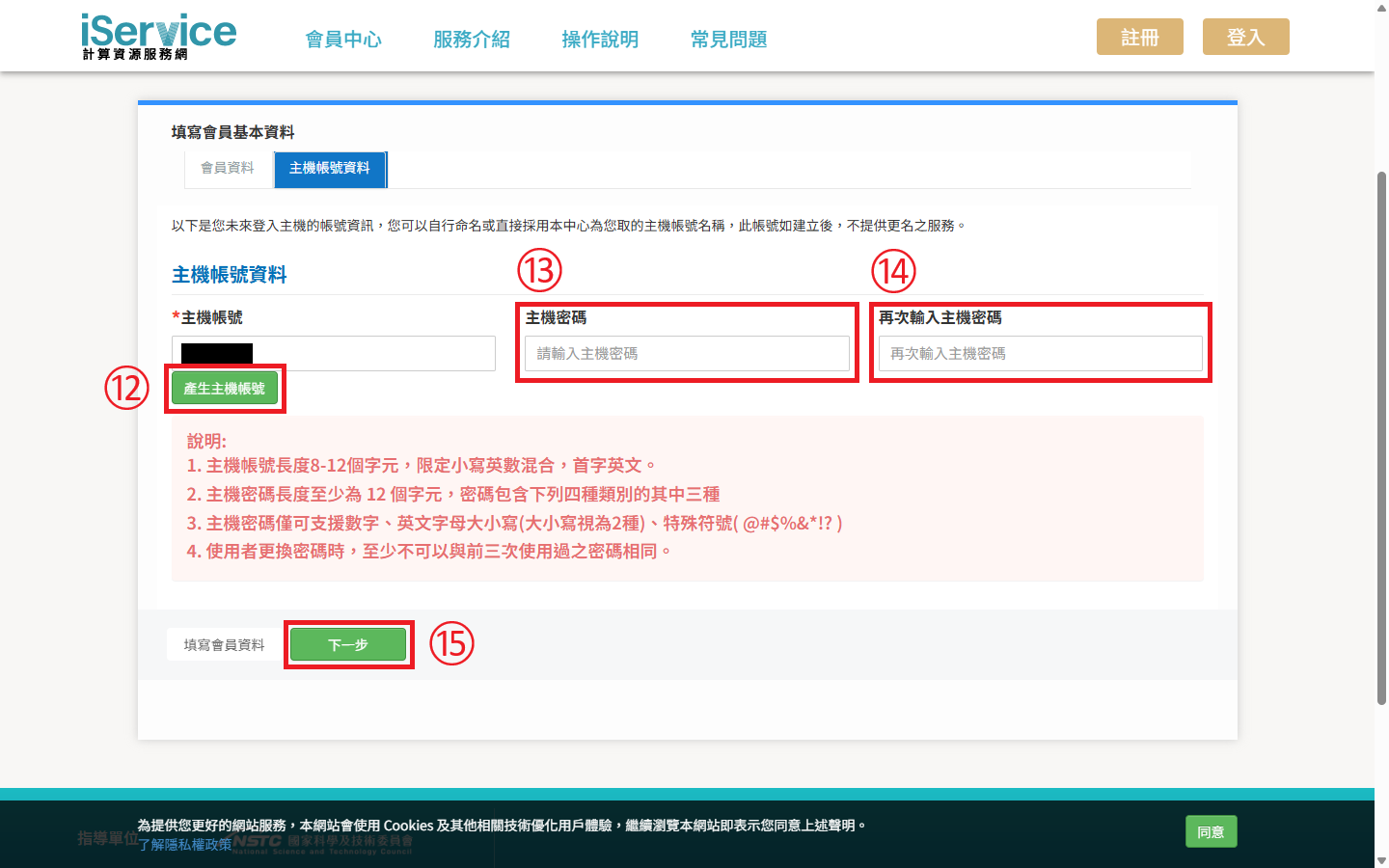
Step 12: Click 產生主機帳號 (generate host account). The account name must start with a letter, use lowercase letters and numbers, and be 8 to 12 characters long.
Step 13: Set your host password, which must be at least 12 characters long and include at least three of the following: numbers, uppercase letters, lowercase letters, and special characters.
Step 14: Re-enter the host password.
Step 15: After confirming all details, click 下一步 (next).
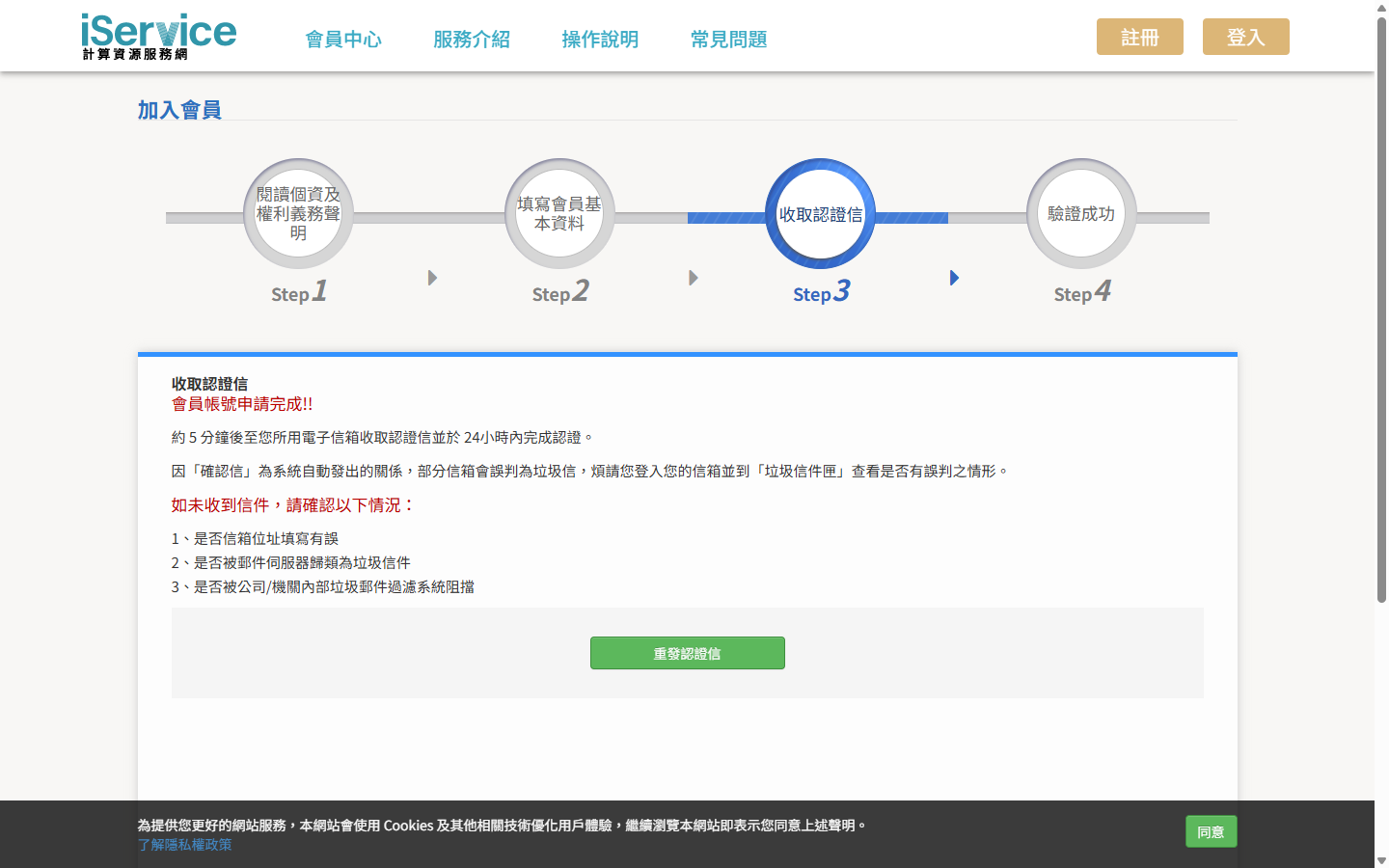
Receive Verification Email
After submitting your information, check the email address you provided for a verification email. If you don’t see it, check your spam folder or verify that the email was entered correctly.
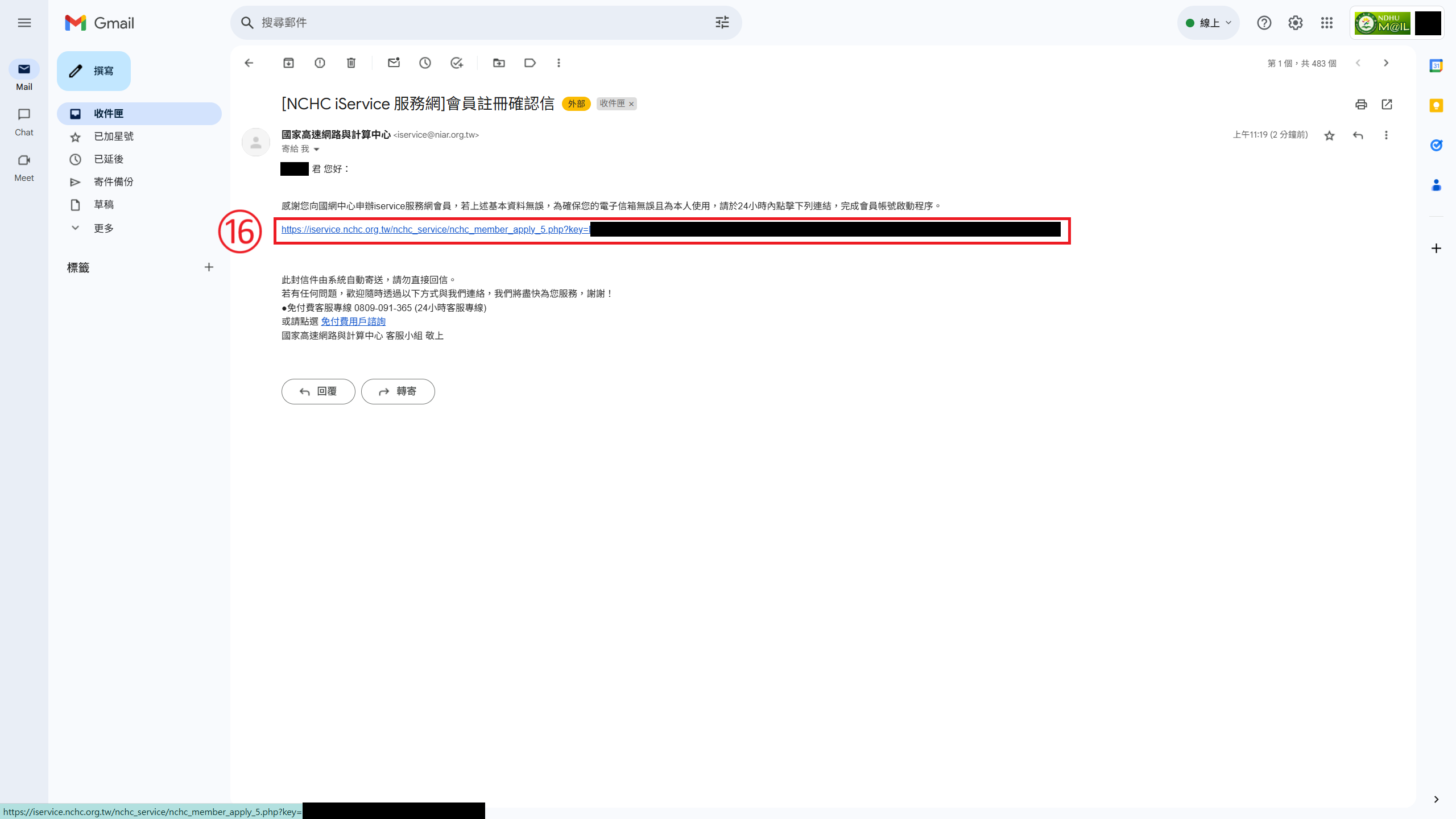
The verification email should look like this:
Step 16: Upon receiving the email, click the link within 24 hours to activate your account.
SMS Verification
Step 17: The email link will guide you to verify your phone number. Please enter a Taiwan mobile number.
Step 18: Confirm your number and click 手機認證 (verify phone).
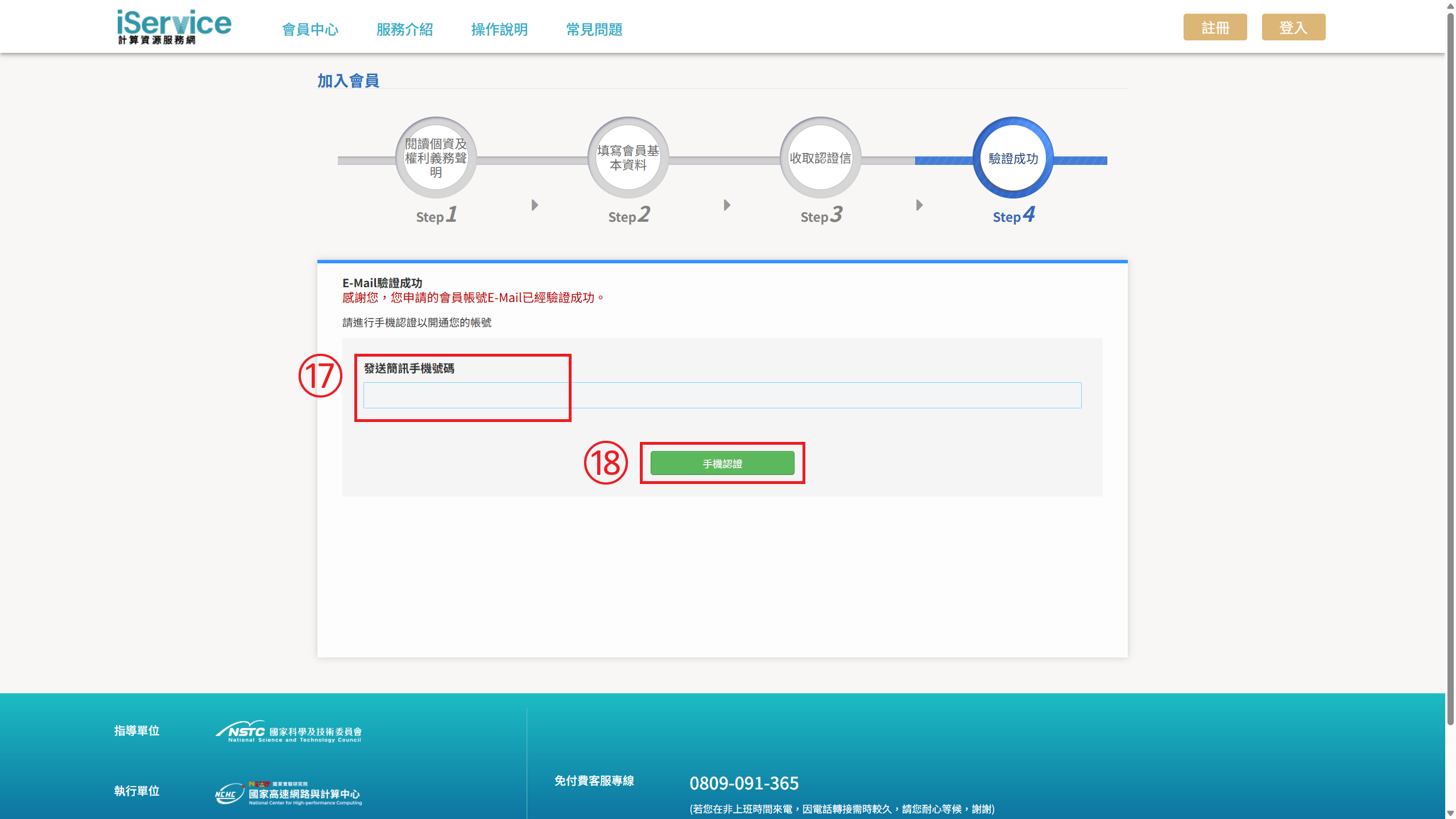
Then, wait to receive the verification code via SMS.
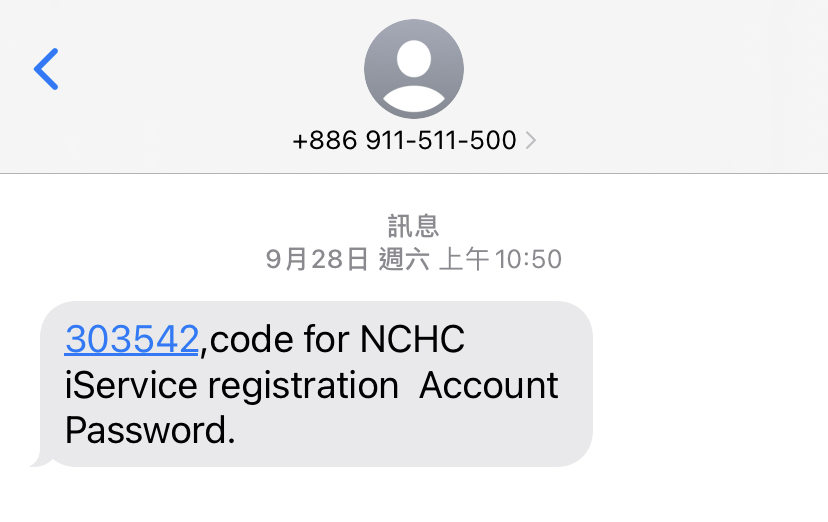
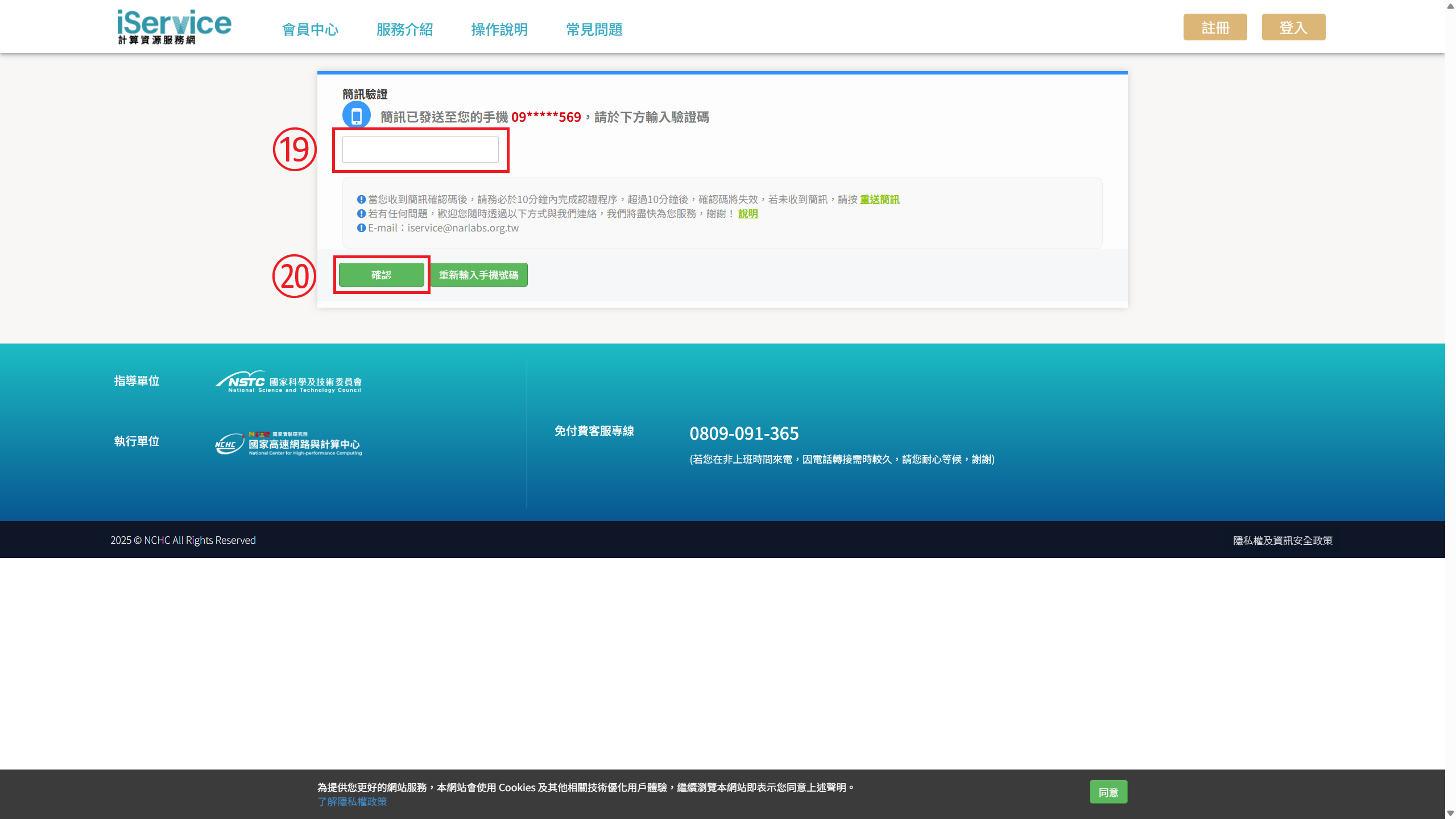
Step 19: Enter the code into the field.
Step 20: Click 確定 (confirm).
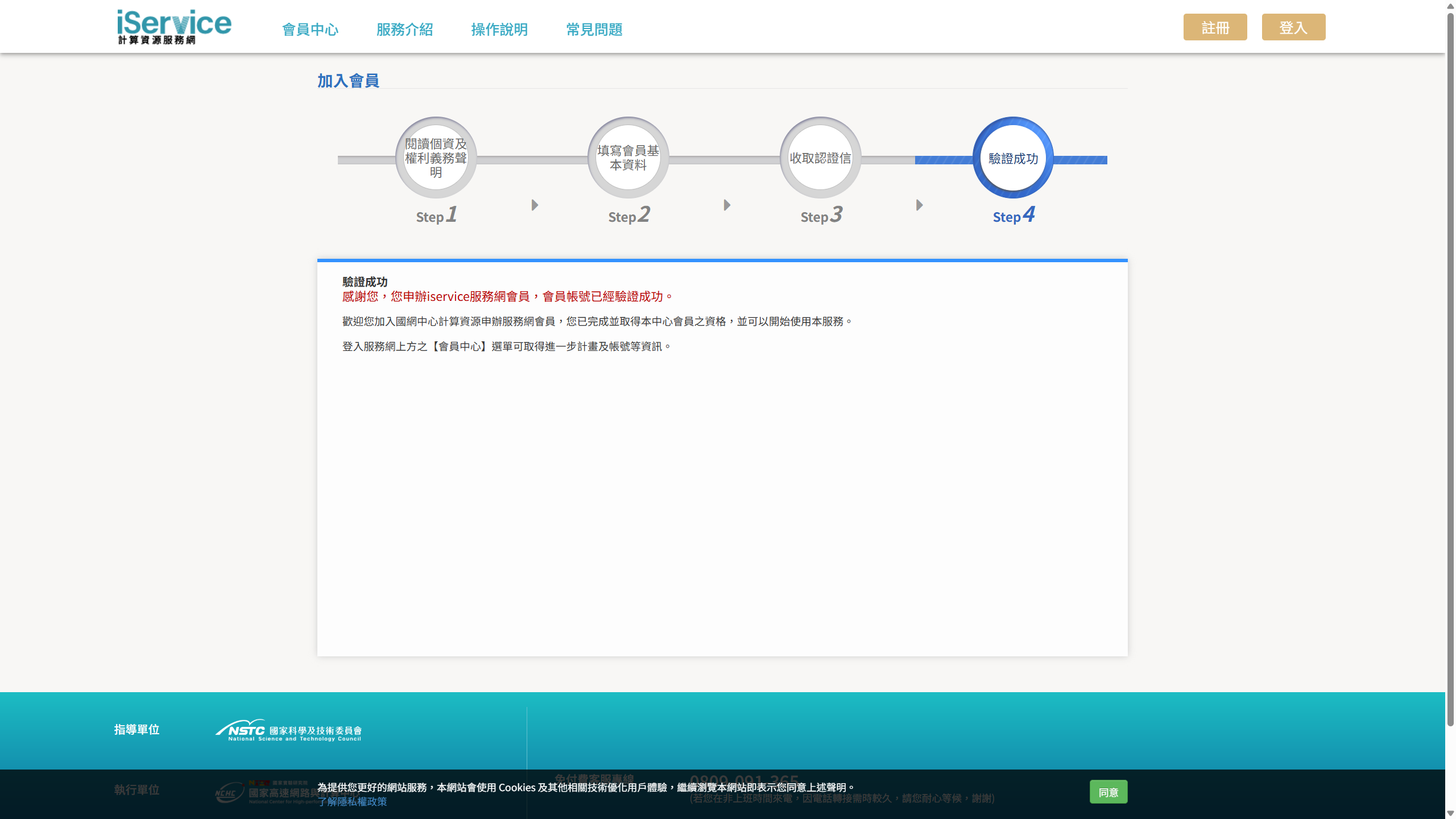
Registration Complete
Once all the steps are complete, the website will display a message indicating that your account has been verified. You have now successfully registered as an NCHC member and can proceed to use their services.

References
National Center for High-performance Computing. (March 13, 2024). Wikipedia, the Free Encyclopedia. Retrieved on April 10, 2025, from https://zh.wikipedia.org/zh-tw/國家高速網路與計算中心
任務願景. (n.d.). National Center for High-performance Computing. Retrieved on April 10, 2025, from https://www.nchc.org.tw/Page?itemid=33&mid=58


![[NCHC Exploration] #2 Getting Started with TWCC](https://raw.githubusercontent.com/Josh-test-lab/website-assets-repository/refs/heads/main/posts/NCHC%20Exploration%20EP.2%20Getting%20Started%20with%20TWCC/cover%20image.png)