目錄

全球時空資料:NASA GES DISC 資料探索與下載
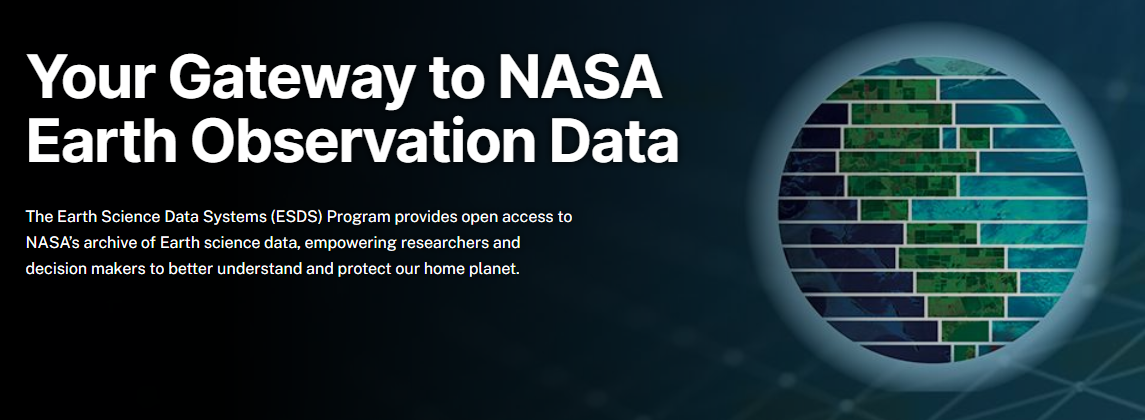
封面圖片是 NASA Earthdata 的首頁,擷取於2025年11月29日。

GES DISC(Goddard Earth Sciences Data and Information Services Center)是美國國家航空暨太空總署(NASA)的一個資料中心(DAAC),位於 Goddard Space Flight Center ,專責保存地球科學相關資料,如大氣成分、降水、水文、溫度、太陽輻射等,並同時向研究人員、應用科學家與一般使用者開放資料。 GES DISC 提供資料探索、視覺化、資料子集化(subset)、線上分析與程式化下載等完整服務。

資料搜尋與下載

基於 NASA 的開放科學政策,所有 GES DISC 資料和服務免費向所有使用者開放。其資料搜尋與下載方式可參考於官方網頁「Help Topics」,該頁已詳盡撰寫資料集搜尋與下載方式。值得注意的是,雖然完整的資料集非常巨大,但 GES DISC 支援自定義時間範圍、自定義空間範圍與自行選擇所需變數,而不需完整下載整個檔案。

https://disc.gsfc.nasa.gov/images/help/Image_17.png
於 GES DISC 簡介中的資料集合的搜尋結果,2025年11月30日取自 GES DISC 。

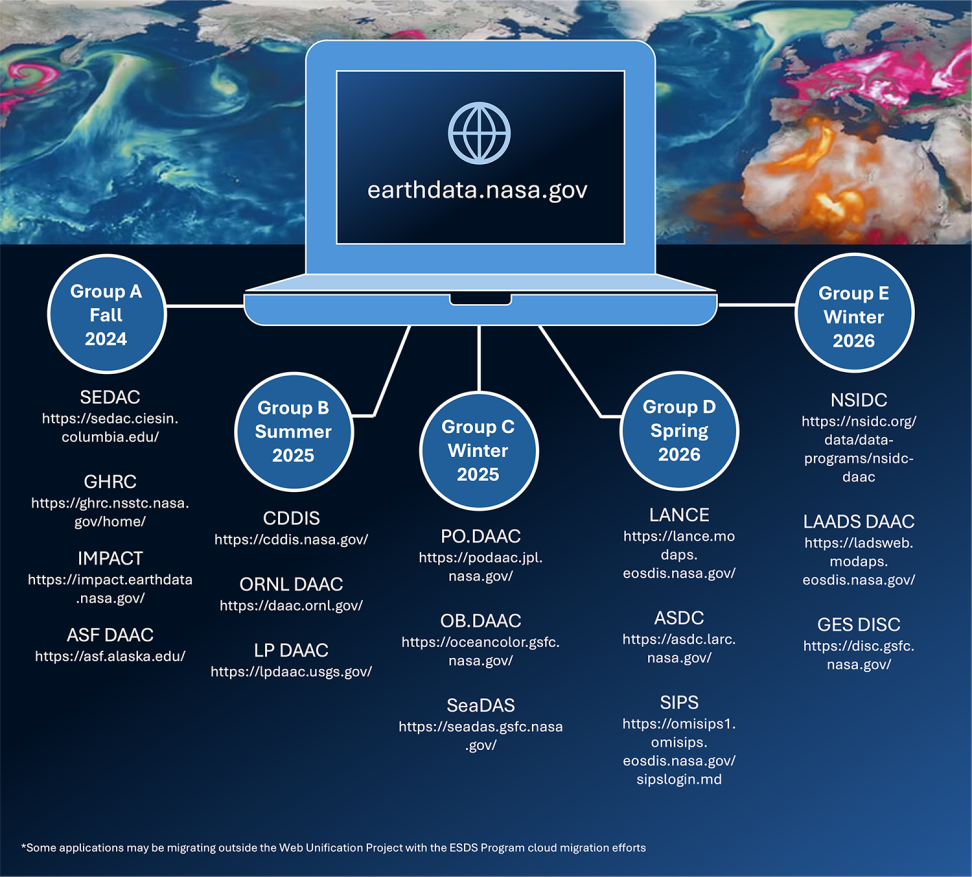
需要注意的是,目前 NASA 正依據《 21 世紀綜合數位體驗法案 》(21st Century Integrated Digital Experience Act, IDEA)將旗下所有資源整合到其 Earthdata 域名(https://www.earthdata.nasa.gov/),所有資料集預計於 2026 年底遷移、整合完畢。故在遷移完成期間,可能會有部分功能或資料集無法取用。
https://earthdata.nasa.gov/s3fs-public/styles/hds_large/public/2024-08/updated-migration-graphic_0.png
遷移到 Earthdata 網站的所有主要網站,2025年11月30日取自 Earthdata 。

資料下載範例

以下將示範從 NASA Earthdata 下載衛星資料,包含帳號設定、權限設定、資料篩選,以及使用 R 語言進行批次下載。

帳號與權限設定

在下載資料前,首先需要一個用於下載資料的 NASA 帳號。

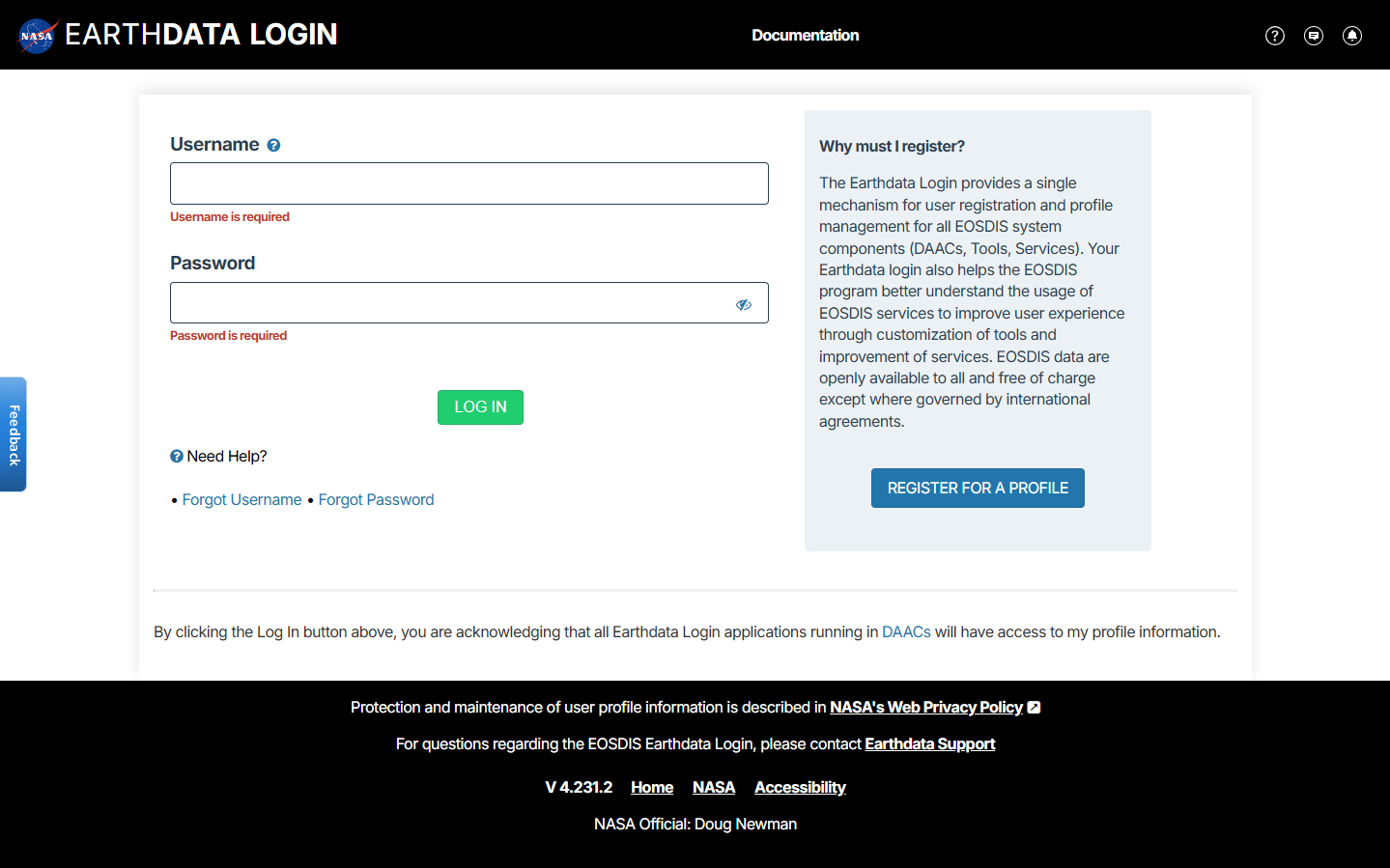
第一步,前往 NASA Earthdata ,並依其帳號註冊流程完成註冊並登入。如果無法訪問該網站,可使用 VPN 進行 ip 跳轉後,再進行帳號註冊。
https://raw.githubusercontent.com/Josh-test-lab/website-assets-repository/refs/heads/main/posts/Global%20Spatiotemporal%20Data%20Exploring%20and%20Downloading%20Resources%20from%20NASA%20GES%20DISC/1.png
NASA Earthdata 登入頁面。

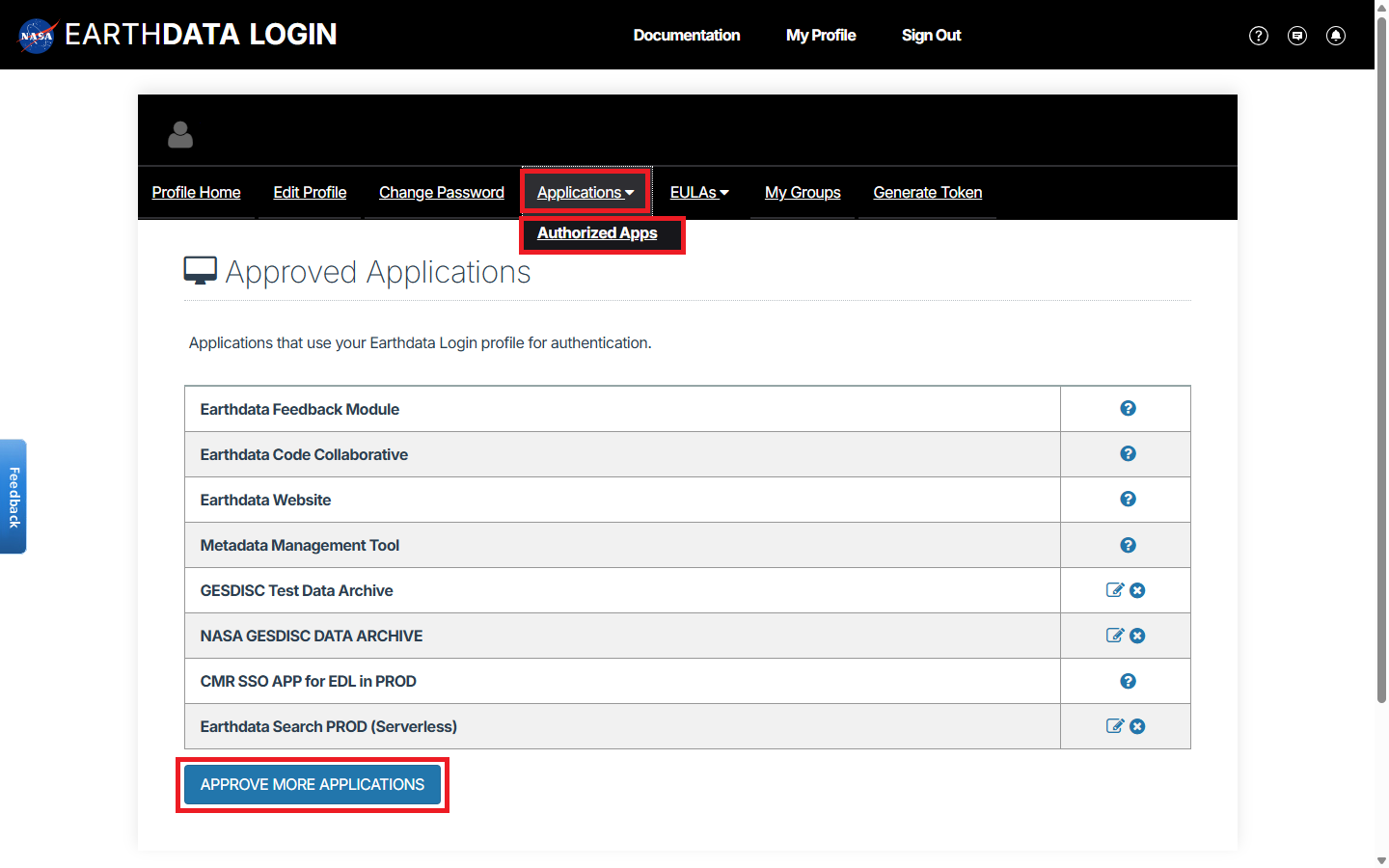
第二步,依次點選 ApplicationsAuthorized AppsAPPROVE MORE APPLICATIONS

https://raw.githubusercontent.com/Josh-test-lab/website-assets-repository/refs/heads/main/posts/Global%20Spatiotemporal%20Data%20Exploring%20and%20Downloading%20Resources%20from%20NASA%20GES%20DISC/2.png
應用程式權限設定。

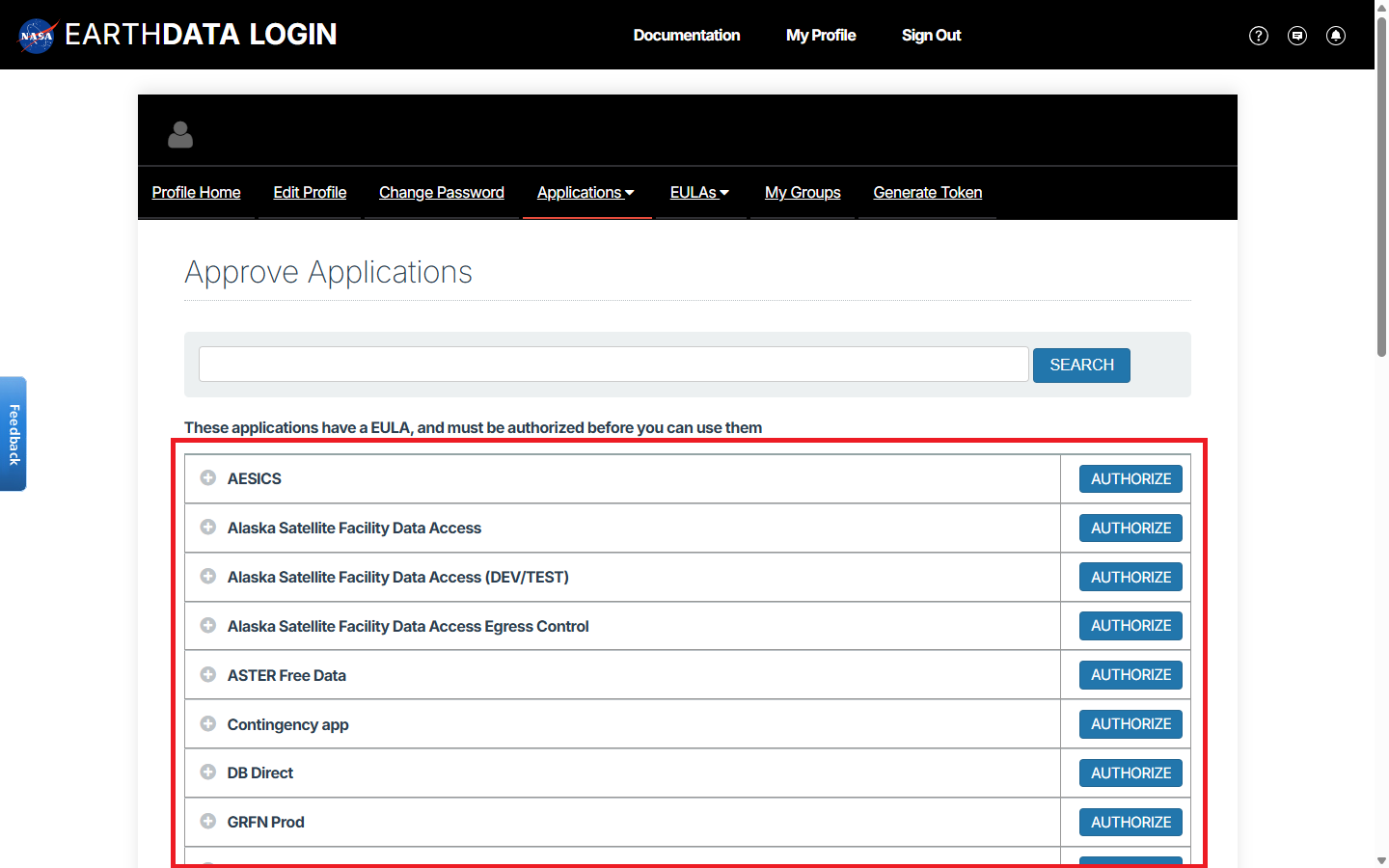
第三步,選擇欲使用的資料,並點選右側對應的 Authorize ,同時閱讀、遵守其最終用戶許可協議(EULA)。例如此處開通 NASA GESDISC DATA ARCHIVE 權限。
https://raw.githubusercontent.com/Josh-test-lab/website-assets-repository/refs/heads/main/posts/Global%20Spatiotemporal%20Data%20Exploring%20and%20Downloading%20Resources%20from%20NASA%20GES%20DISC/3.png
權限設定。

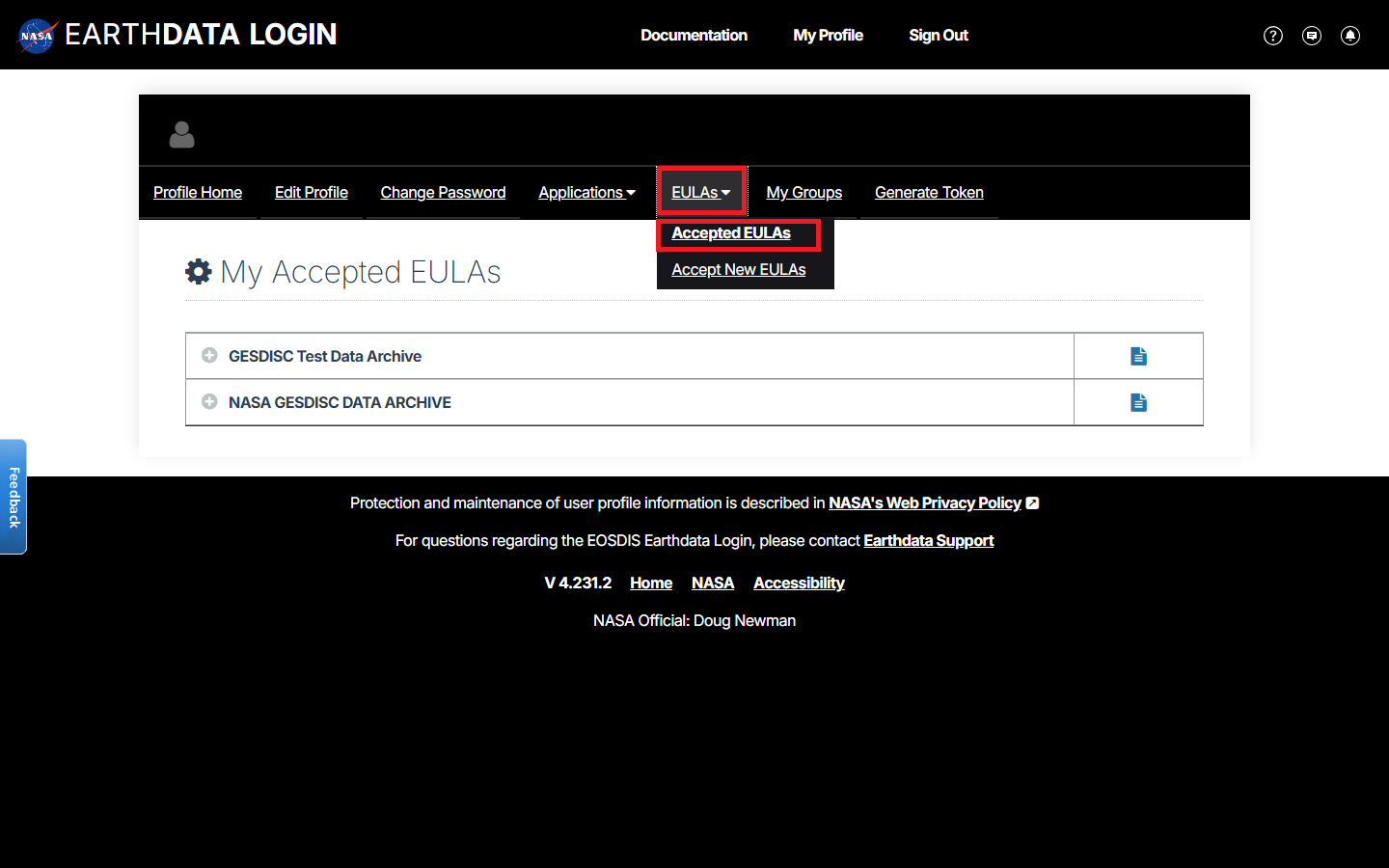
可以到 EULAsAccepted EULAs 查看所有已同意的 EULA 。

https://raw.githubusercontent.com/Josh-test-lab/website-assets-repository/refs/heads/main/posts/Global%20Spatiotemporal%20Data%20Exploring%20and%20Downloading%20Resources%20from%20NASA%20GES%20DISC/4.png
確認 EULA 。

第四步,依次點選 Generate TokenGenerate Token ,生成用於資料下載的 token 。需注意,最多只可同時擁有兩個 token 。
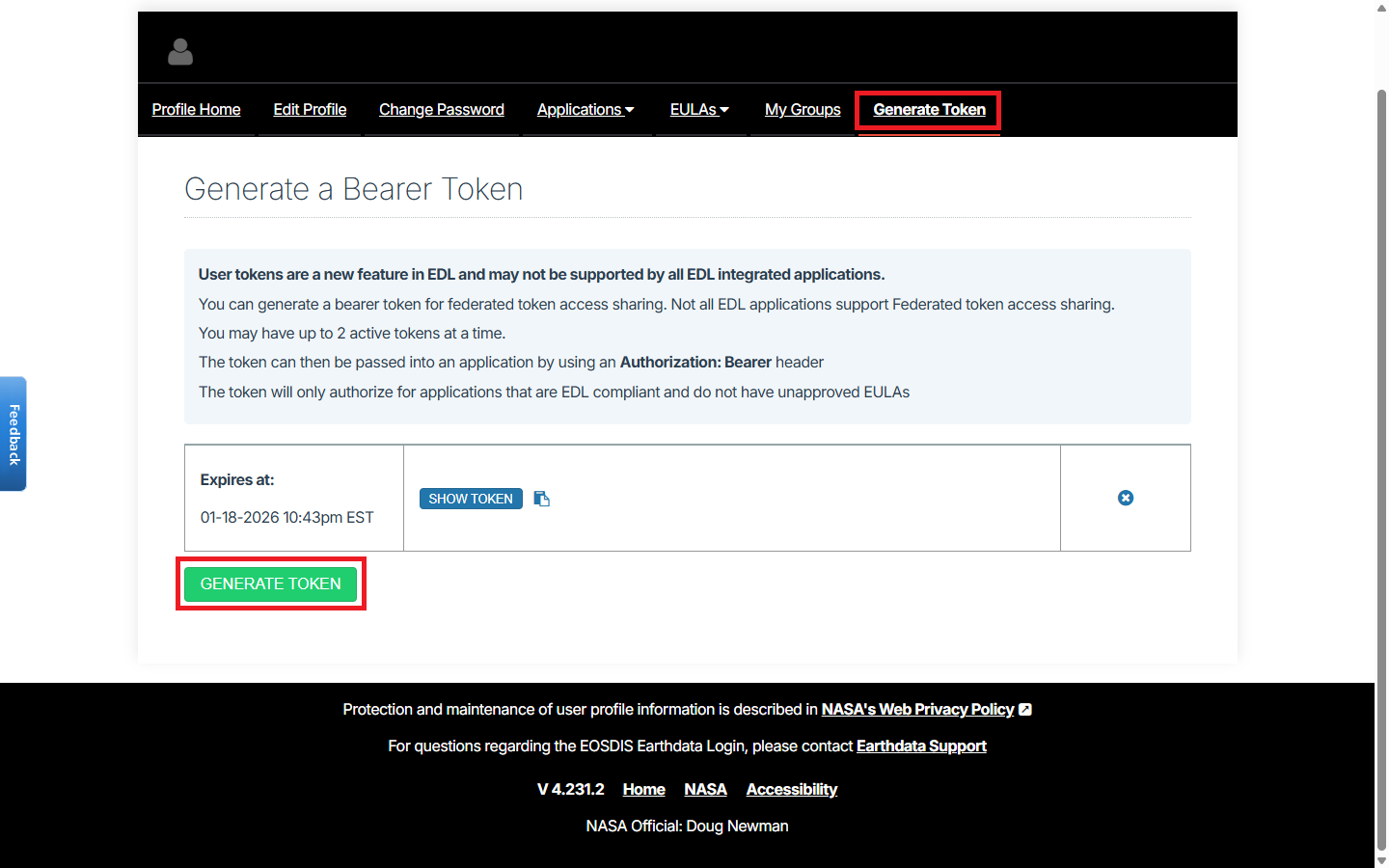
https://raw.githubusercontent.com/Josh-test-lab/website-assets-repository/refs/heads/main/posts/Global%20Spatiotemporal%20Data%20Exploring%20and%20Downloading%20Resources%20from%20NASA%20GES%20DISC/5.png
生成 token 。

第五步,點選上方的複製按鈕 ,複製剛生成的 token 備用。
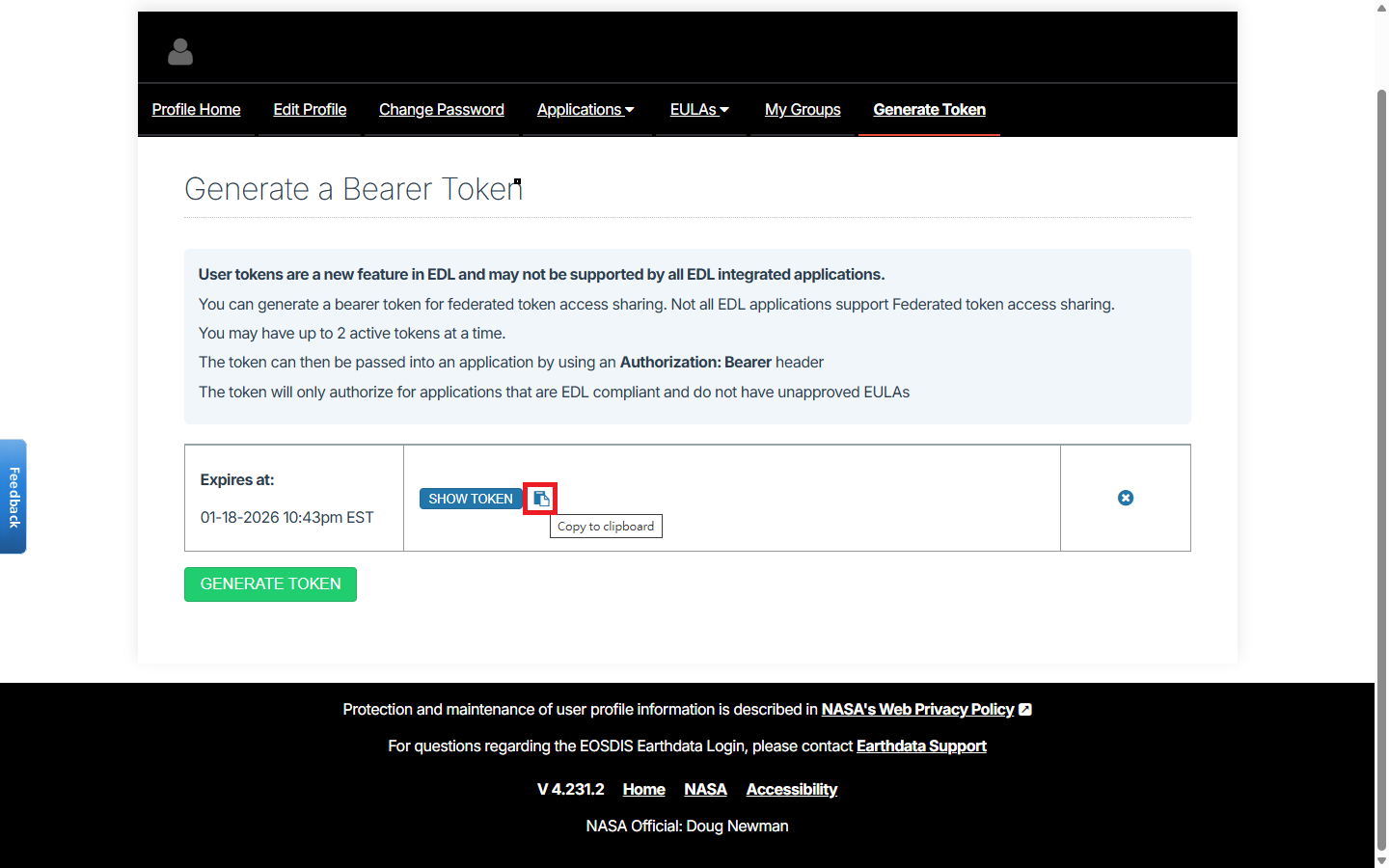
https://raw.githubusercontent.com/Josh-test-lab/website-assets-repository/refs/heads/main/posts/Global%20Spatiotemporal%20Data%20Exploring%20and%20Downloading%20Resources%20from%20NASA%20GES%20DISC/6.png
複製 token 。

至此,帳號與權限設定完畢,後續操作也不需要使用 VPN 。

資料篩選

第一步,於 GES DISC 搜尋欲下載的資料集。
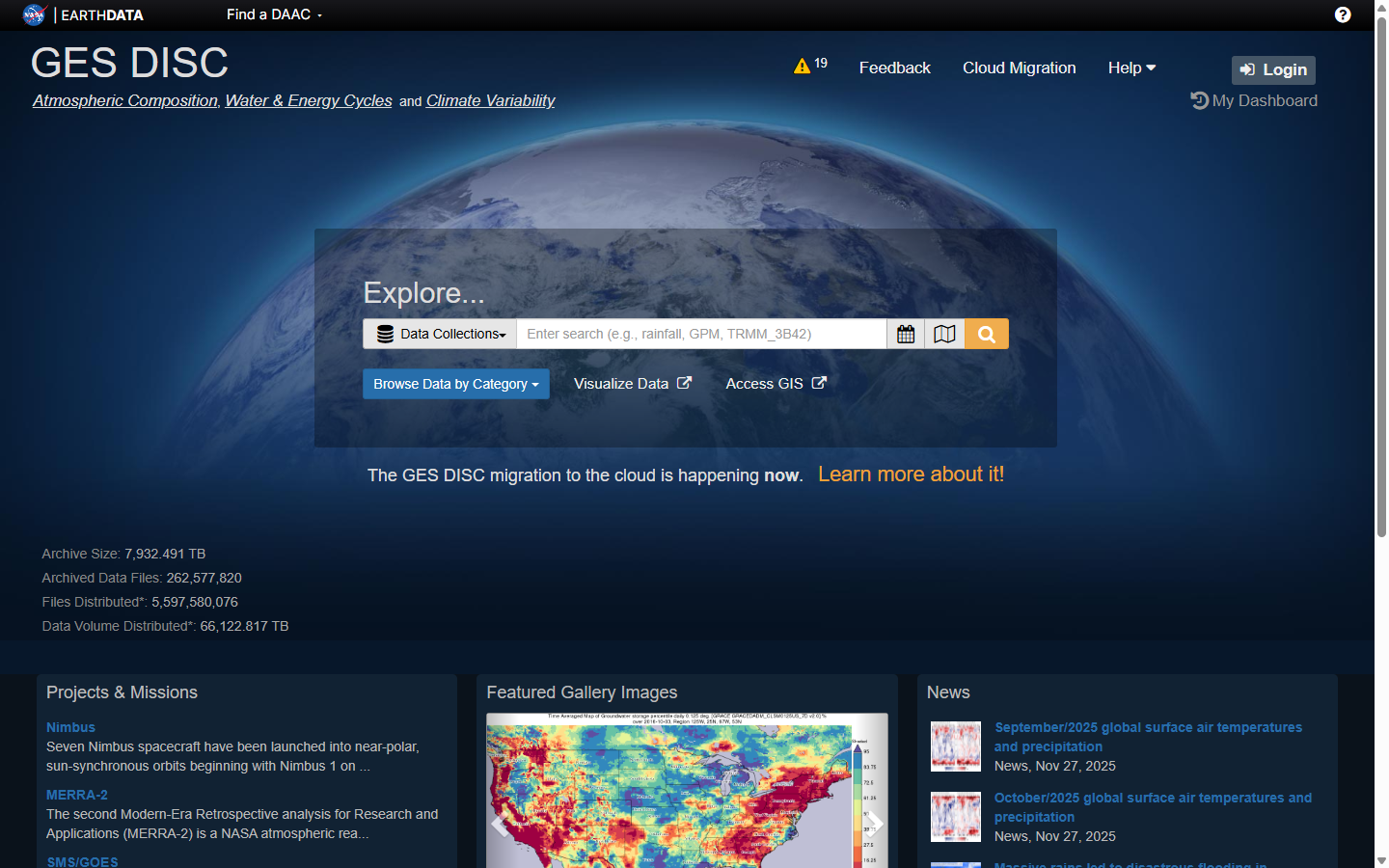
https://raw.githubusercontent.com/Josh-test-lab/website-assets-repository/refs/heads/main/posts/Global%20Spatiotemporal%20Data%20Exploring%20and%20Downloading%20Resources%20from%20NASA%20GES%20DISC/7.png
搜尋資料集。

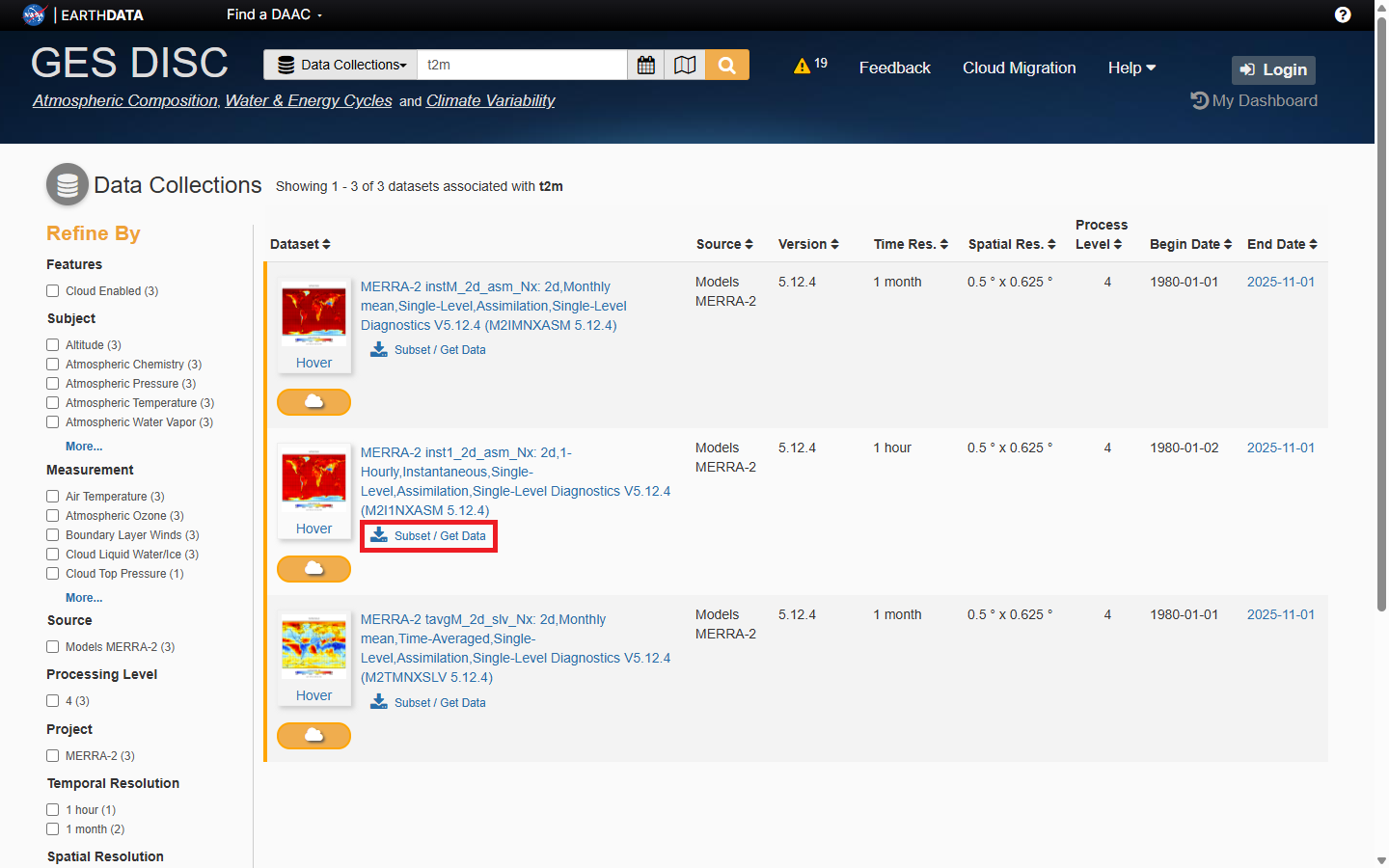
第二步,於欲下載的資料集,點選 Subset/Get Data

https://raw.githubusercontent.com/Josh-test-lab/website-assets-repository/refs/heads/main/posts/Global%20Spatiotemporal%20Data%20Exploring%20and%20Downloading%20Resources%20from%20NASA%20GES%20DISC/8.png
挑選資料集。

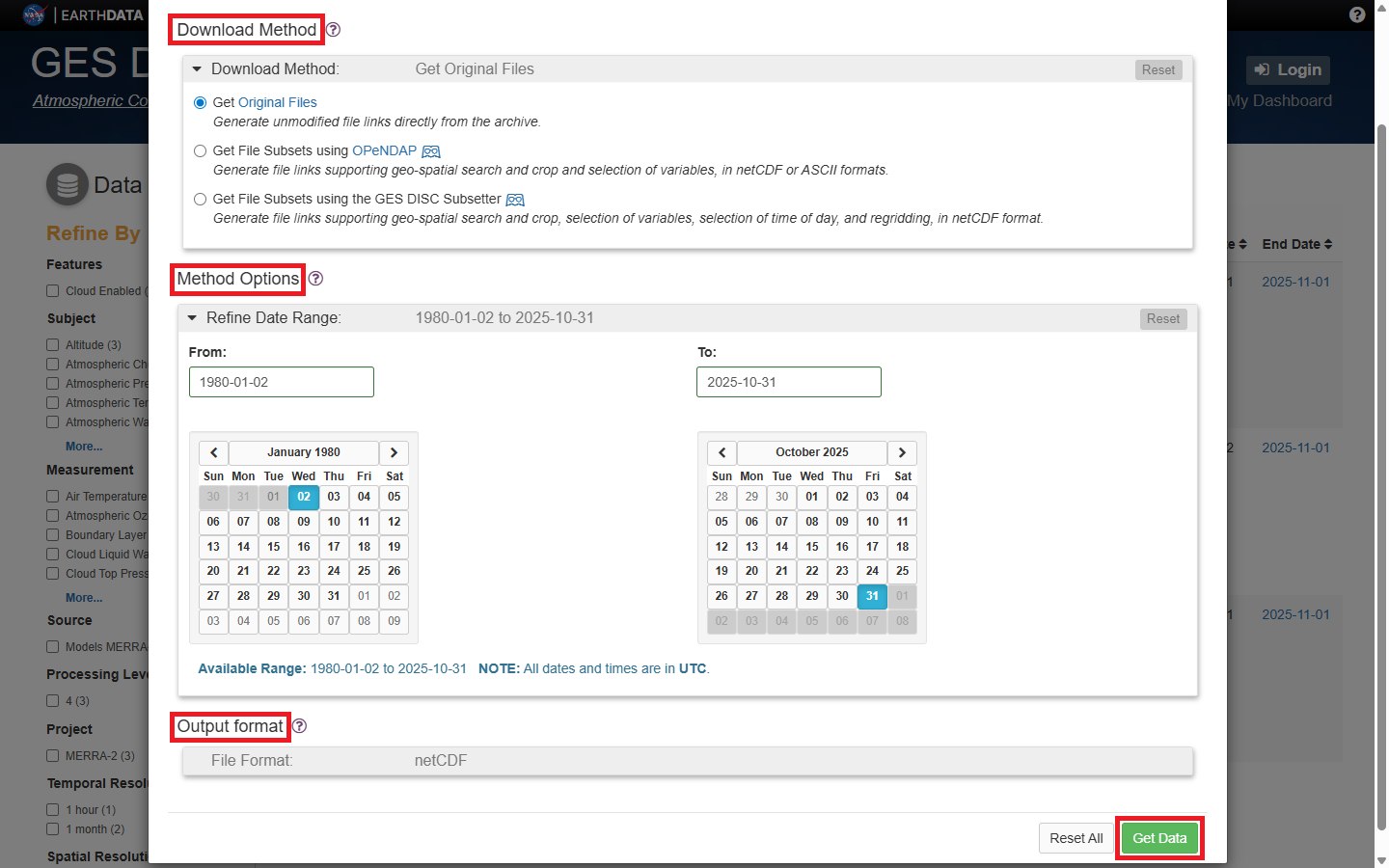
第三步,選擇 Download Method ,如欲下載整個資料集,選擇 Get Original Files 即可;如欲指定空間範圍或指定變數,選擇 Get File Subsets using OPeNDAPGet File Subsets using the GES DISC Subsetter

Method Options 設定欲取得之時間段、空間範圍與變數。

Output format 選擇資料型態,如 netCDF

第四步,點選右下角 Get Data ,下載資料集清單。

https://raw.githubusercontent.com/Josh-test-lab/website-assets-repository/refs/heads/main/posts/Global%20Spatiotemporal%20Data%20Exploring%20and%20Downloading%20Resources%20from%20NASA%20GES%20DISC/9.png
設定資料範圍。

第五步,待網站處理完畢所有資料連結後,點選 Download Links List* 下載資料集連結文字檔。

下載完成會匯出文字檔,第一行是 README 的 pdf 連結,可自行刪除或在讀檔時忽略,其餘都是資料的連結(如 .nc4 檔)。
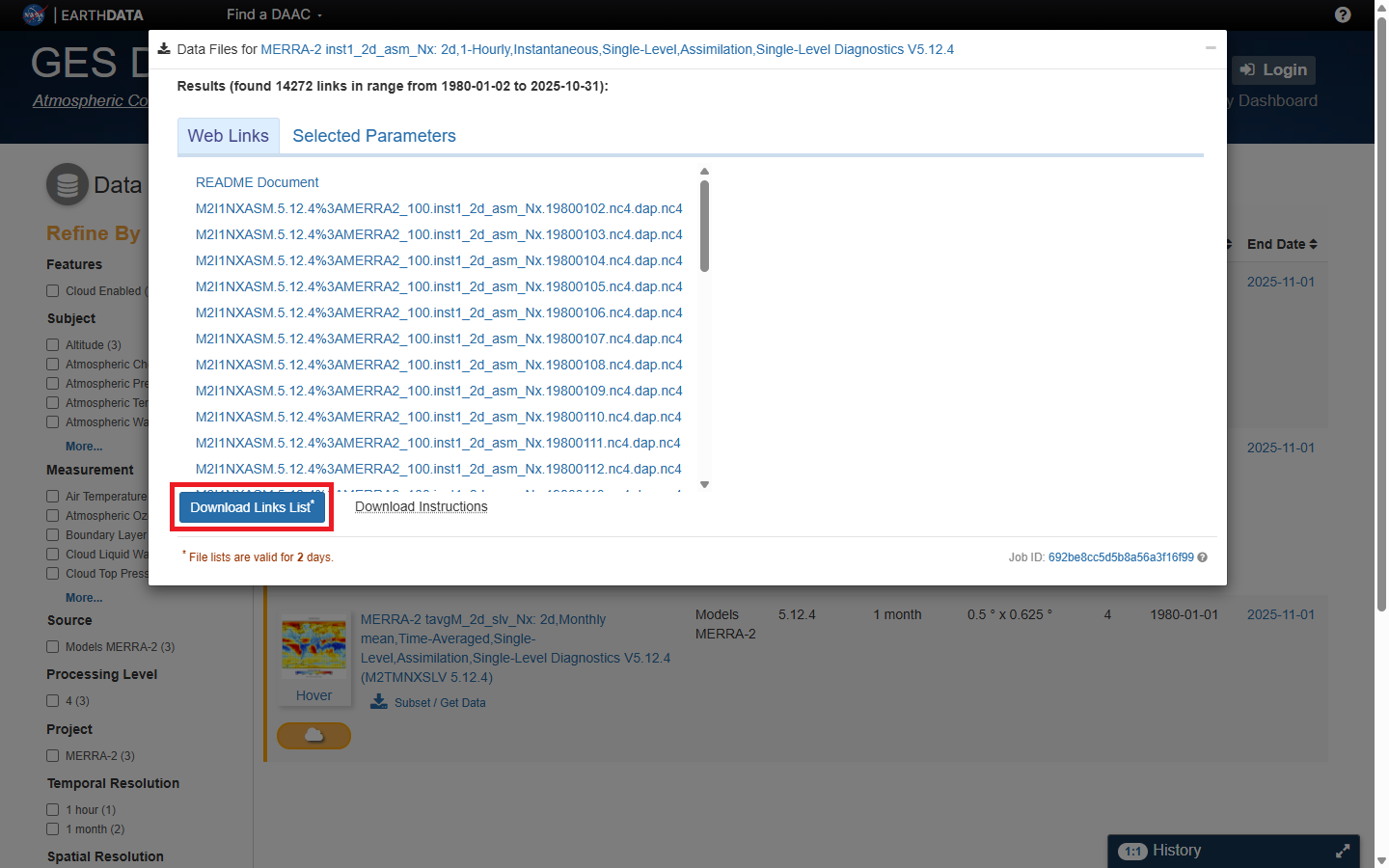
https://raw.githubusercontent.com/Josh-test-lab/website-assets-repository/refs/heads/main/posts/Global%20Spatiotemporal%20Data%20Exploring%20and%20Downloading%20Resources%20from%20NASA%20GES%20DISC/10.png
資料集連結文字檔下載。

資料下載

我們可以使用如下 R 程式碼,下載資料集。

 1
 2
 3
 4
 5
 6
 7
 8
 9
10
11
12
13
14
15
16
17
18
19
20
21
22
23
24
25
26
27
28
29
30
31
32
33
34
35
36
37
38
39
40
41
42
43
44
45
46
47
48
49
50
51
52
53
54
55
56
57
58
59
60
61
62
63
64
65
66
67
68
69
# Packages
library(readr)
library(httr)
library(terra)
library(stringr)

# Token
token <- "先前生成的 token"

# Data links
txt_path <- "先前下載的資料集連結文字檔.txt"
urls <- read_lines(txt_path)
urls <- urls[urls != ""]
cat("Found ", length(urls), " links.\n")

# Setup download dir
dl_dir = "設定下載資料夾"
dir.create(dl_dir, showWarnings = FALSE)

# Timeout
timeout_sec <- 3600

# Progress bar
pb <- txtProgressBar(min = 0, max = length(urls), style = 3)

# Download data
for (i in seq_along(urls)) {
  ymd <- str_extract(urls[i], "(19|20)\\d+")
  file_name <- paste0(ymd, ".nc4")
  dest_path <- file.path(dl_dir, file_name)
  
  if (is.na(ymd)) {
    next
  }
  
  if (!file.exists(dest_path)) {
    cat("Downloading ", file_name, "\n")
    
    result <- tryCatch(
      {
        GET(
          urls[i],
          add_headers(Authorization = paste("Bearer", token)),
          write_disk(dest_path, overwrite = TRUE),
          timeout(timeout_sec)
        )
      },
      error = function(e) {
        cat("⚠️ Timeout or Error: ", file_name, "\n", "Error Message: ", conditionMessage(e), "\n")
        return(NULL)
      }
    )
    
    if (is.null(result)) next
    
    if (result$status_code == 200) {
      cat("✅ Success: ", file_name, "\n")
    } else {
      cat("⚠️ Failure: ", file_name, "(HTTP", result$status_code, ")\n")
    }
  } else {
    cat("⏭️ Already exists: ", file_name, "\n")
  }
}
close(pb)

# Results
downloaded <- list.files("data", pattern = "\\.nc4$", full.names = TRUE)
cat("Total downloads completed, ", length(downloaded), " files.\n")

檢視下載結果

下載完成後,所有下載的 .nc4 檔會在先前設定的下載資料夾內。

結語

NASA GES DISC 是一個功能完整、介面多元的地球科學資料中心,並提供多元的地球資料,其資料完整度極高,適合用於時間、空間分析與神經網路的訓練。在取用資料的同時,也需注意各資料集的授權範圍,並適當引用、註明資料來源、版本與取得日期。

參見

參考資料